Key Features
Ignite the joy Get hooked on practice
Key Features
AI-Powered Recognition
Using “continuous play-through” technology, even when you hit a wrong note, you won’t get stuck — you can keep going and finish the entire piece. This approach focuses on building rhythmic sense and fluency.
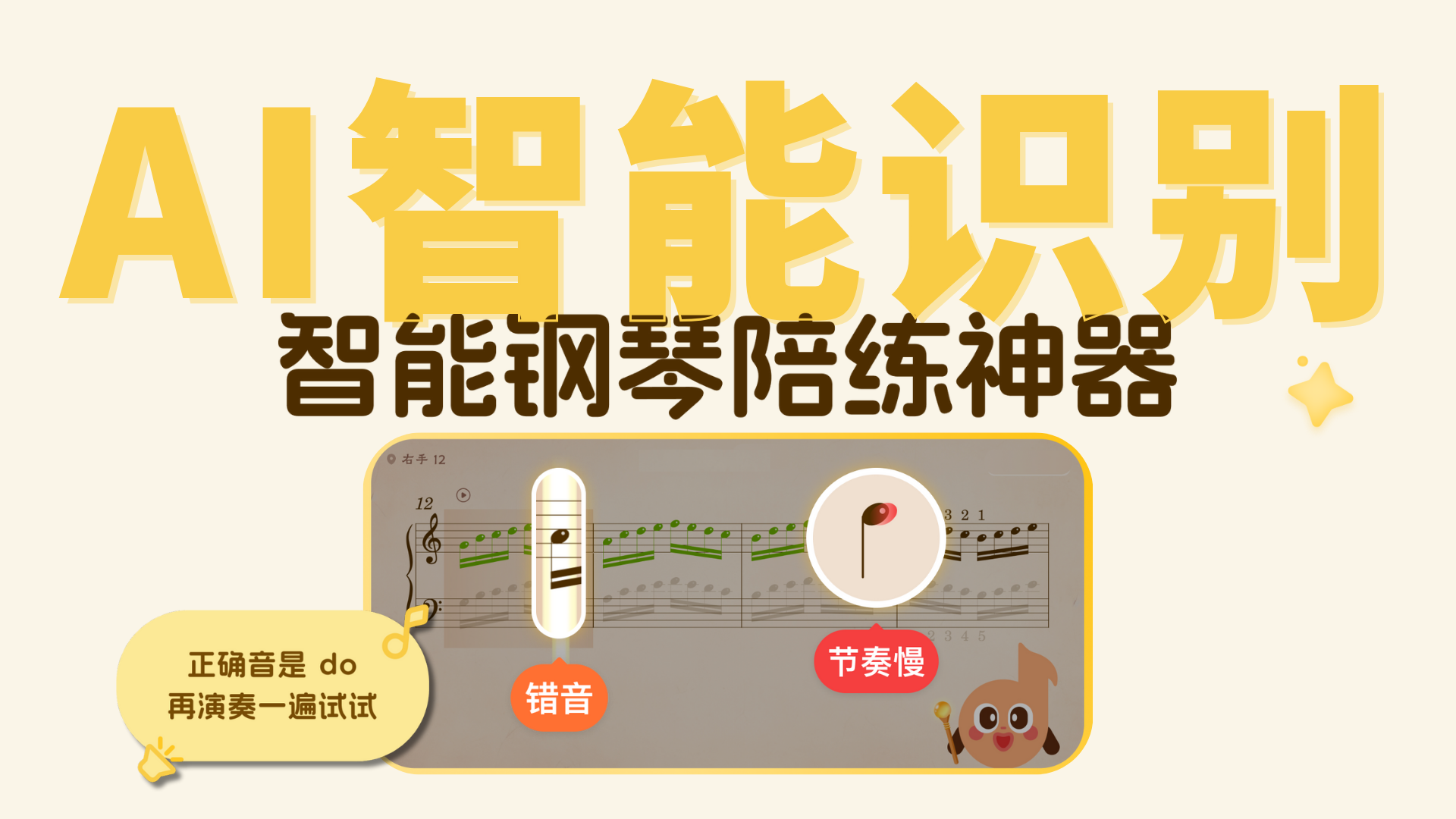
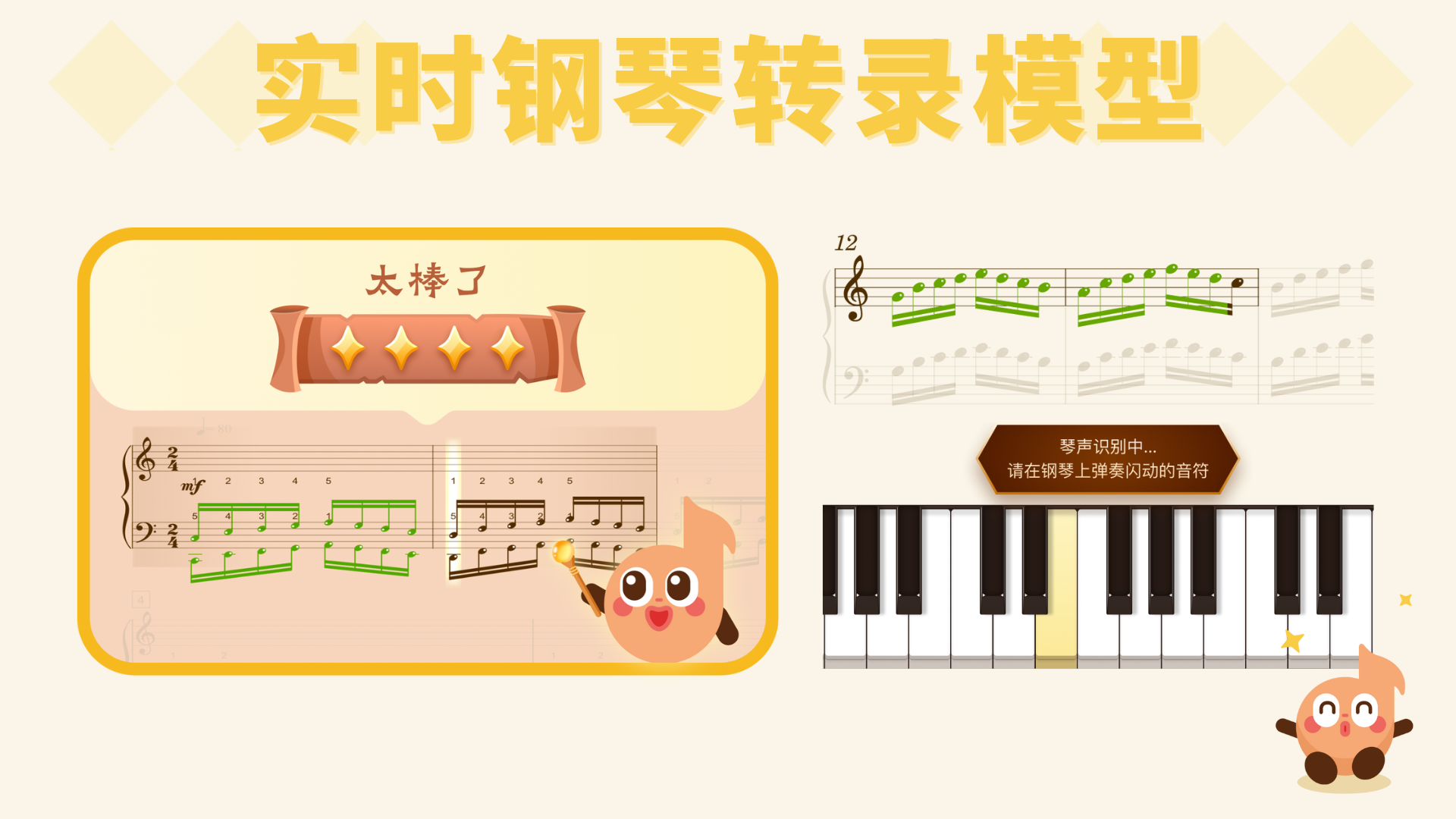
Built on deep neural networks, reimagining audio recognition! Powered by a proprietary real-time piano transcription model, it captures every keystroke at the millisecond level.
- AI Deep Learning Recognition: Using deep neural networks, the system analyzes your performance data across all dimensions. Whether it’s complex chords or subtle dynamic changes, everything is accurately captured and reproduced.
- Multi-Dimensional Real-Time Feedback: From pitch accuracy to rhythmic precision, the AI performs millisecond-level verification in real time. Like a meticulous practice partner, the moment you press a key, it delivers professional assessments of right and wrong notes and dynamics.
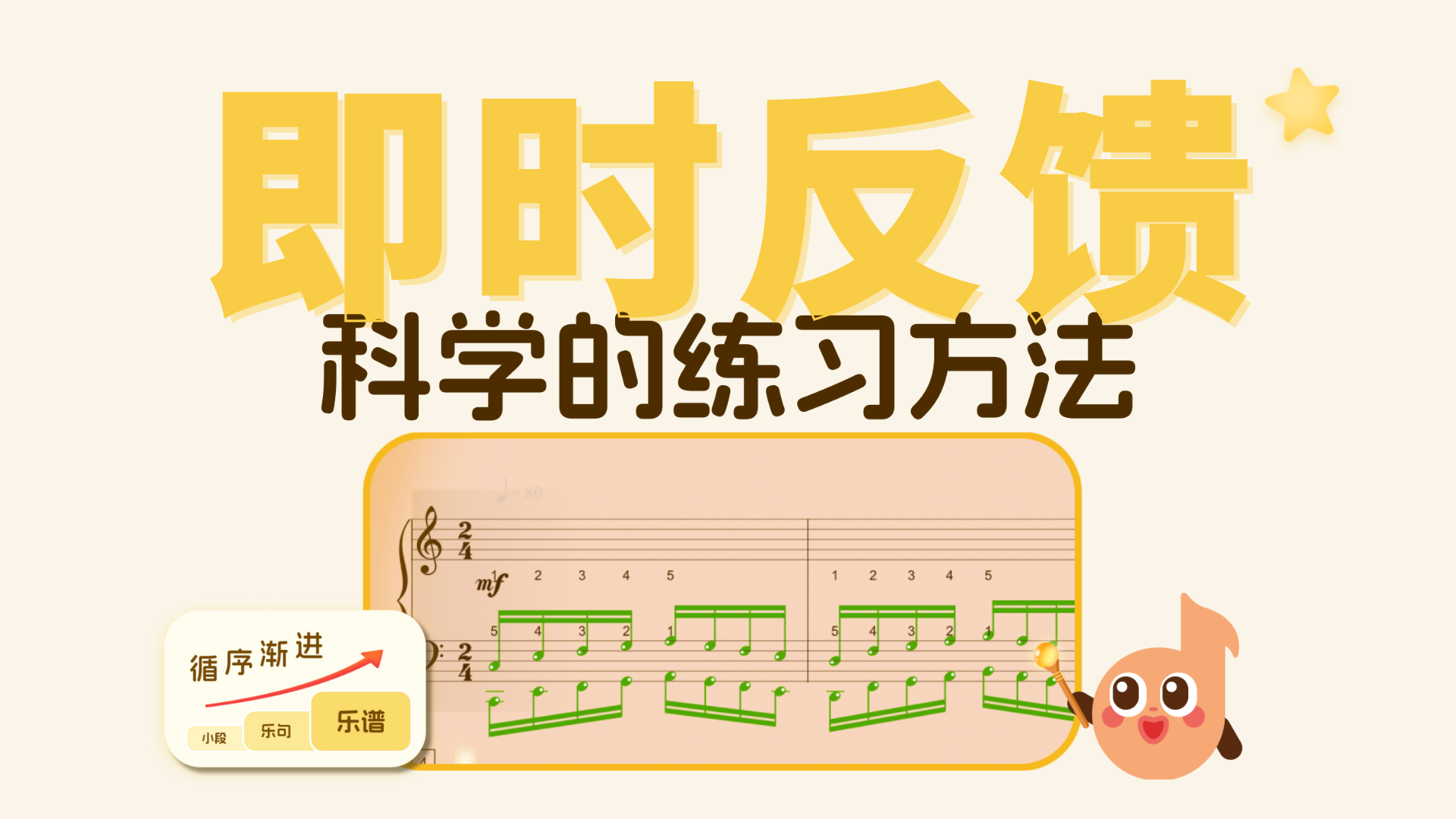
Instant Feedback
Every note you play receives real-time feedback!
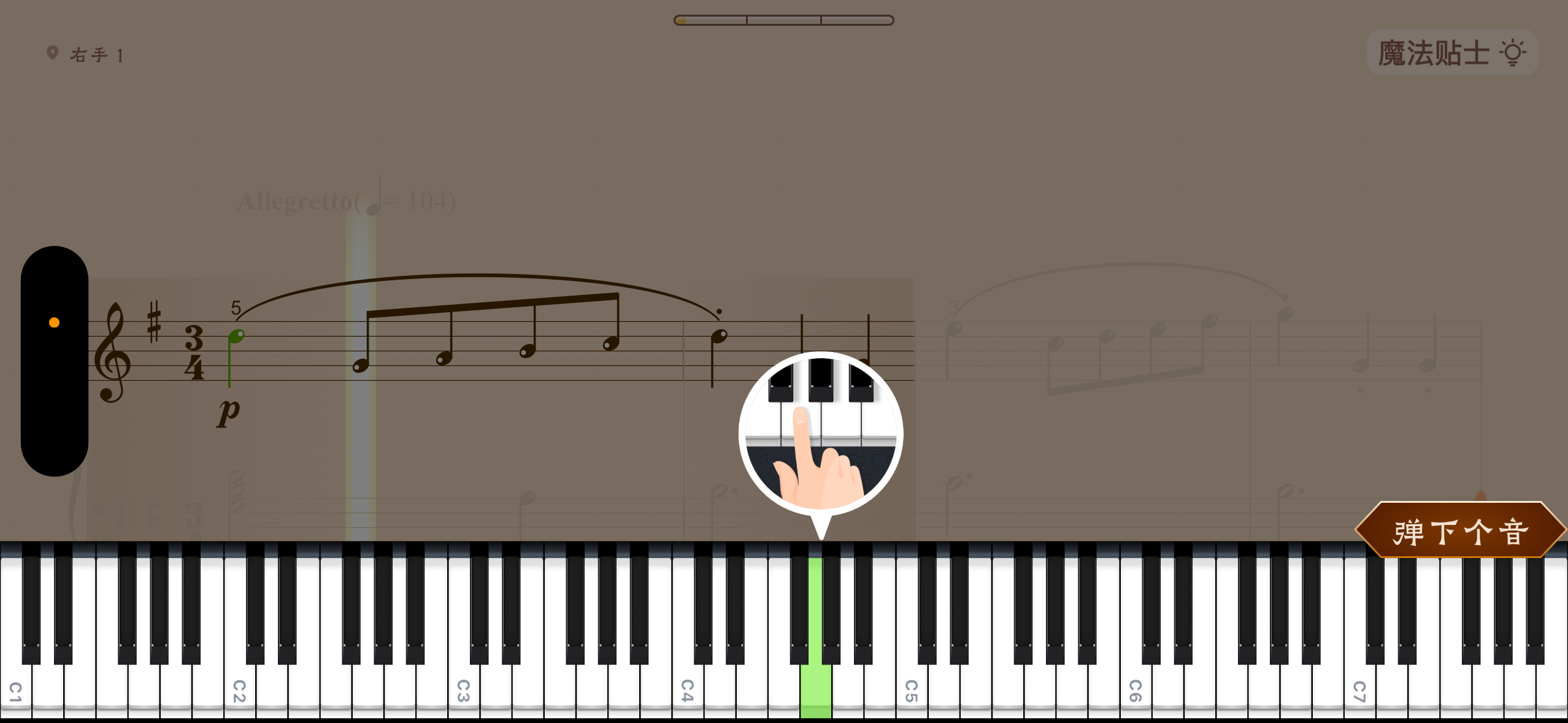
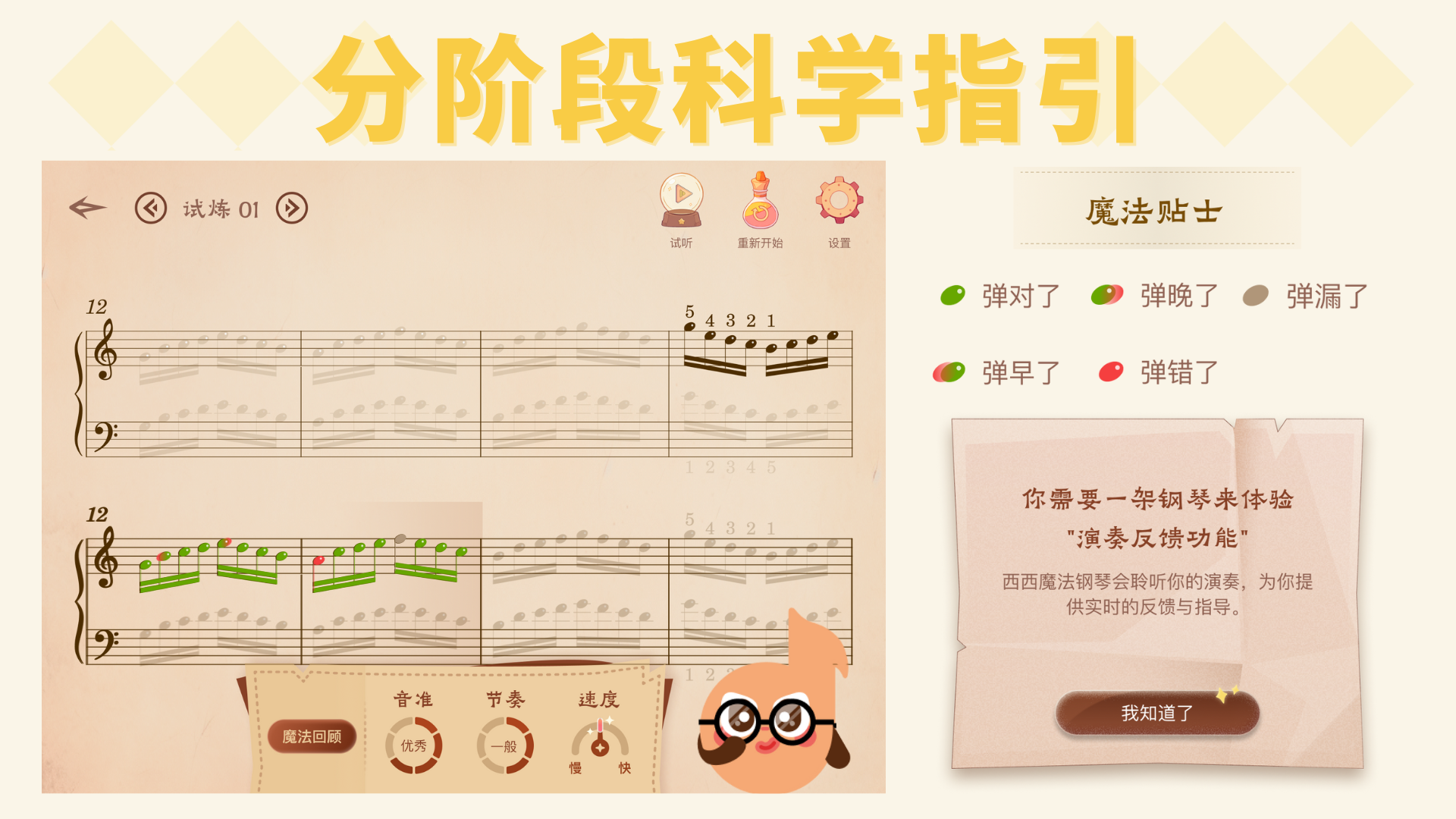
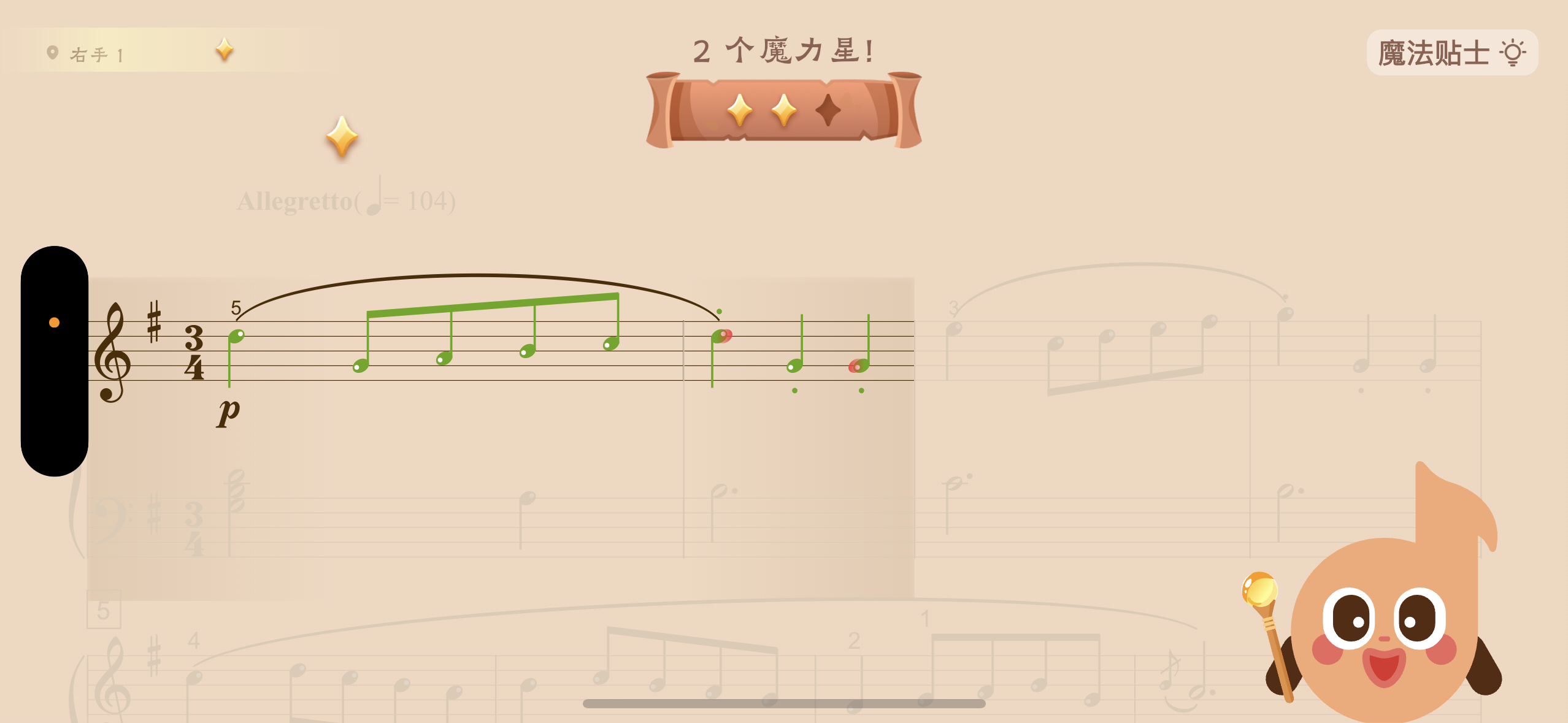
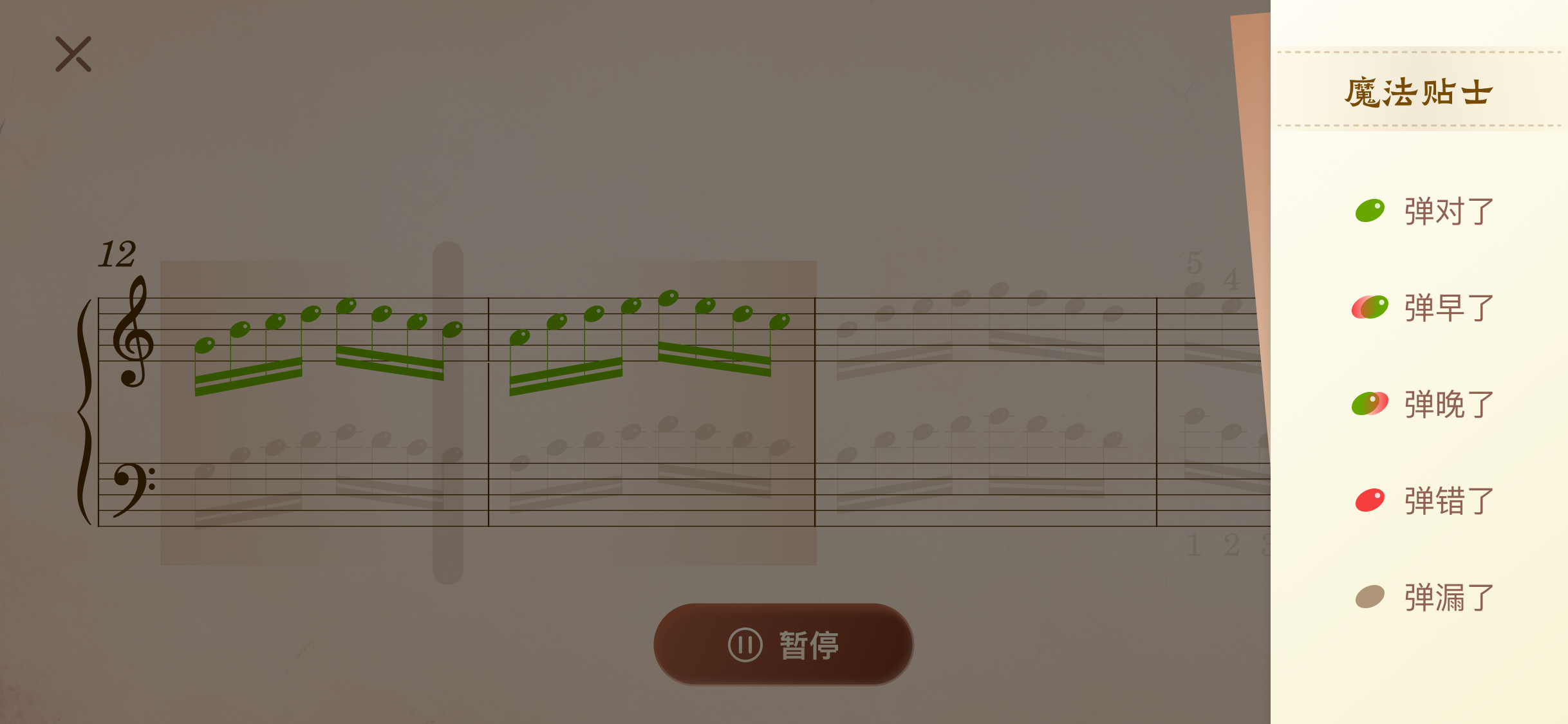
- When you play correctly: The note turns green! You can move on to the next note.
- When you play incorrectly: A voice prompt and the virtual keyboard will show you the correct note name and its position on the keyboard, so you can try again. Once you play it correctly, you can move on to the next note.
From note-by-note correction when first learning a piece to smooth, flowing play-through as you gain proficiency, the AI provides millisecond-level responses throughout.
- Learning Phase — Challenge Mode (Note by Note): The feedback system works as play it right and it lights up; play it wrong and it stops. When tackling a new piece, the AI activates a strict note-by-note verification mode. Each correctly played note lights up, forcing you to slow down and play accurately. This “instant blocking” feedback mechanism helps you completely eliminate wrong notes while muscle memory is still forming.
- Consolidation Phase — Trial Mode (Real-time Following): The score follows along, highlights move in sync. As you become more proficient, the AI switches to real-time following mode. The cursor tracks your playing like a shadow, closely matching your performance speed. At this stage, feedback no longer interrupts — instead, it provides seamless assistance, helping you immerse yourself in the continuous flow of the music and refine your rhythm and musical expression.
Extensive Music Library
The Magic Hall offers a rich and diverse collection of sheet music to meet learning needs at every level and taste.
- Content Coverage: Includes exam repertoire (such as ABRSM), pop music, masterworks by renowned composers, and many more categories.
- Free Access: All sheet music is available to browse and preview for free, lowering the barrier to music learning.

3.1 Sheet Music Collections
You can find the collection you’re looking for using the sidebar menu and the search bar at the top.
The search function at the top of the Magic Hall lets you search by song title, collection name, or composer name.
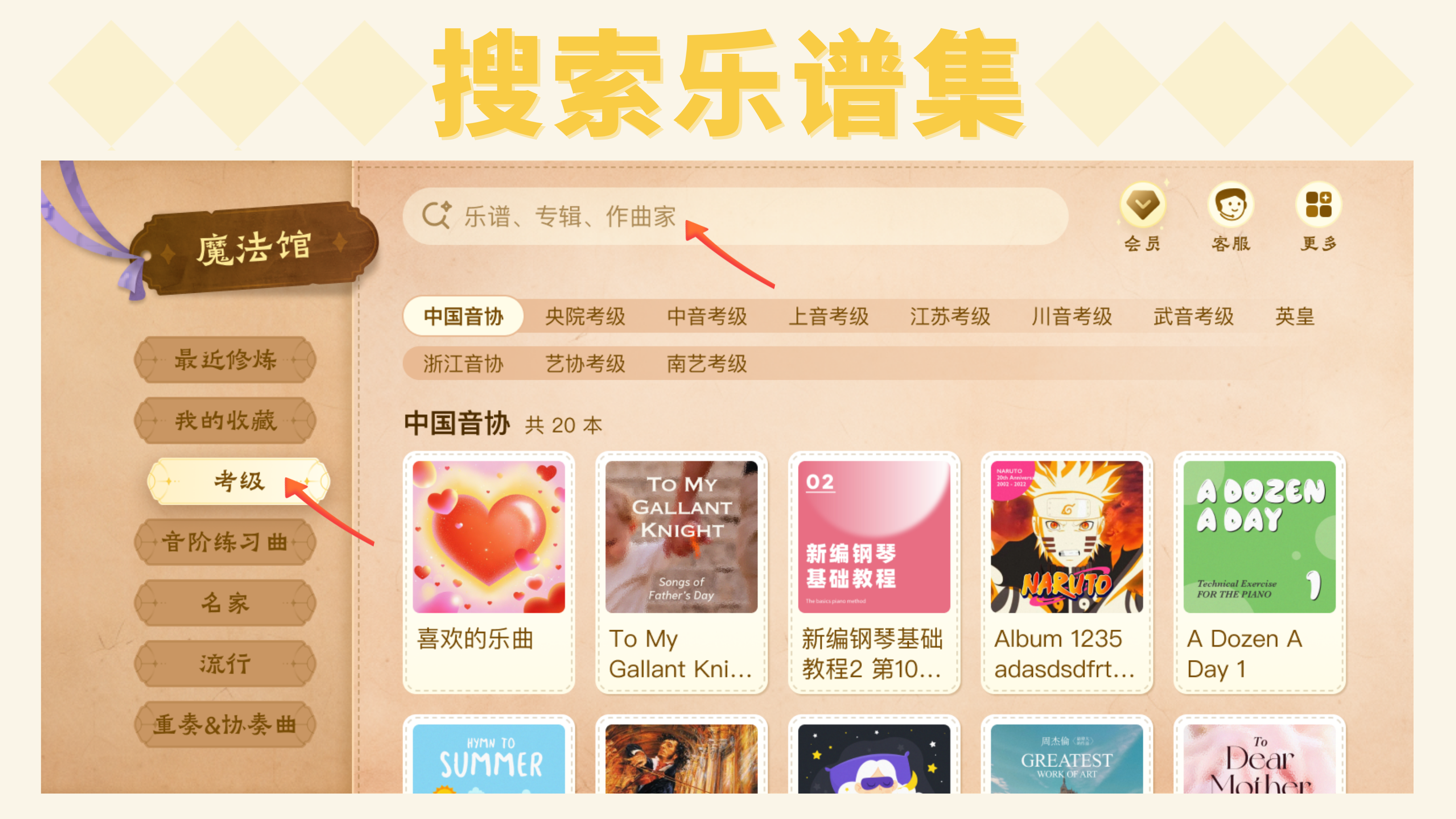
After selecting a collection, you can bookmark it or browse the songs within it.
Once you find a song you like, you can tap the heart icon to save it. Saved songs will appear in “My Favorites — Songs I Like”.

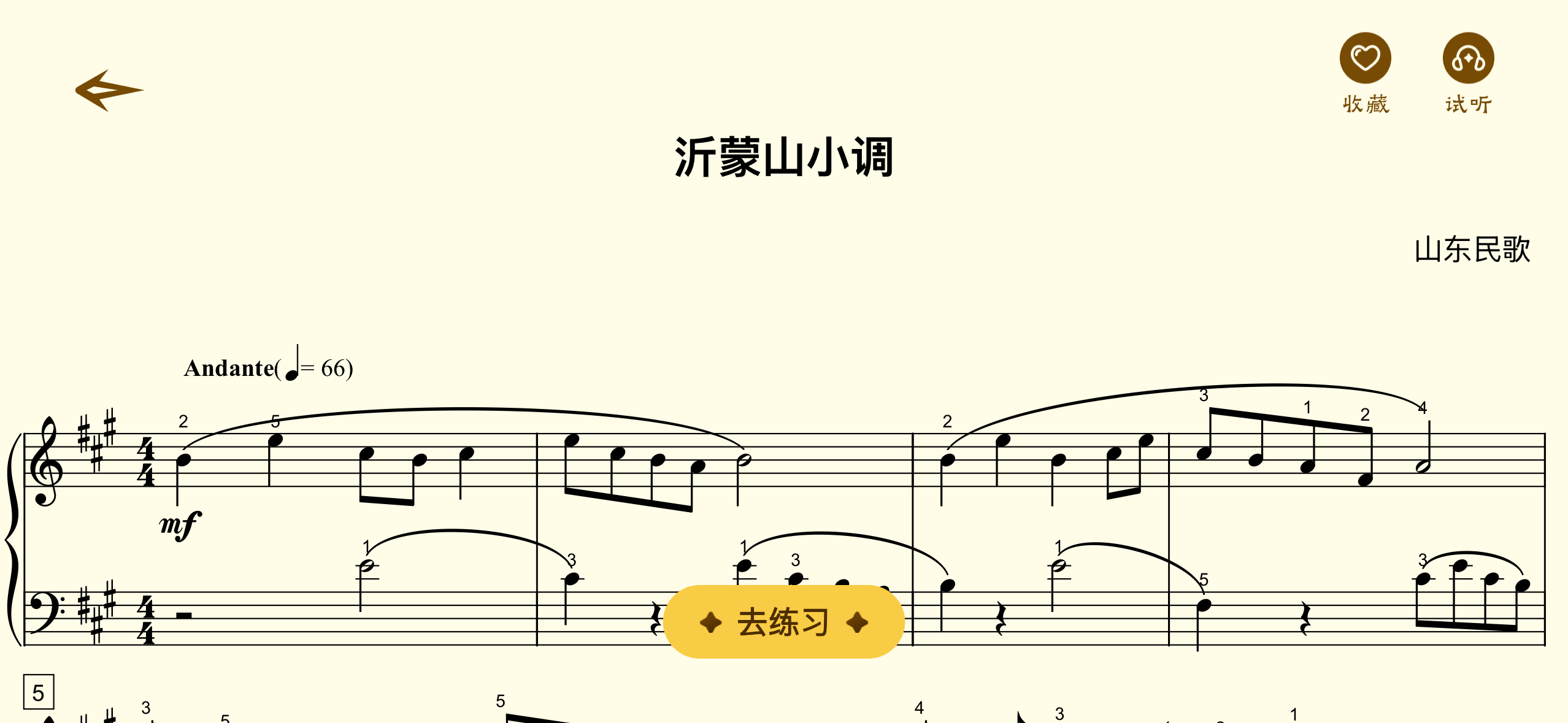
You can also tap the song title to start practicing right away.
If you’re not sure whether a song is what you’re looking for, tap the magnifying glass to preview the sheet music. On that page, you can view the full score and listen to a preview to help you decide.
3.2 Practice History
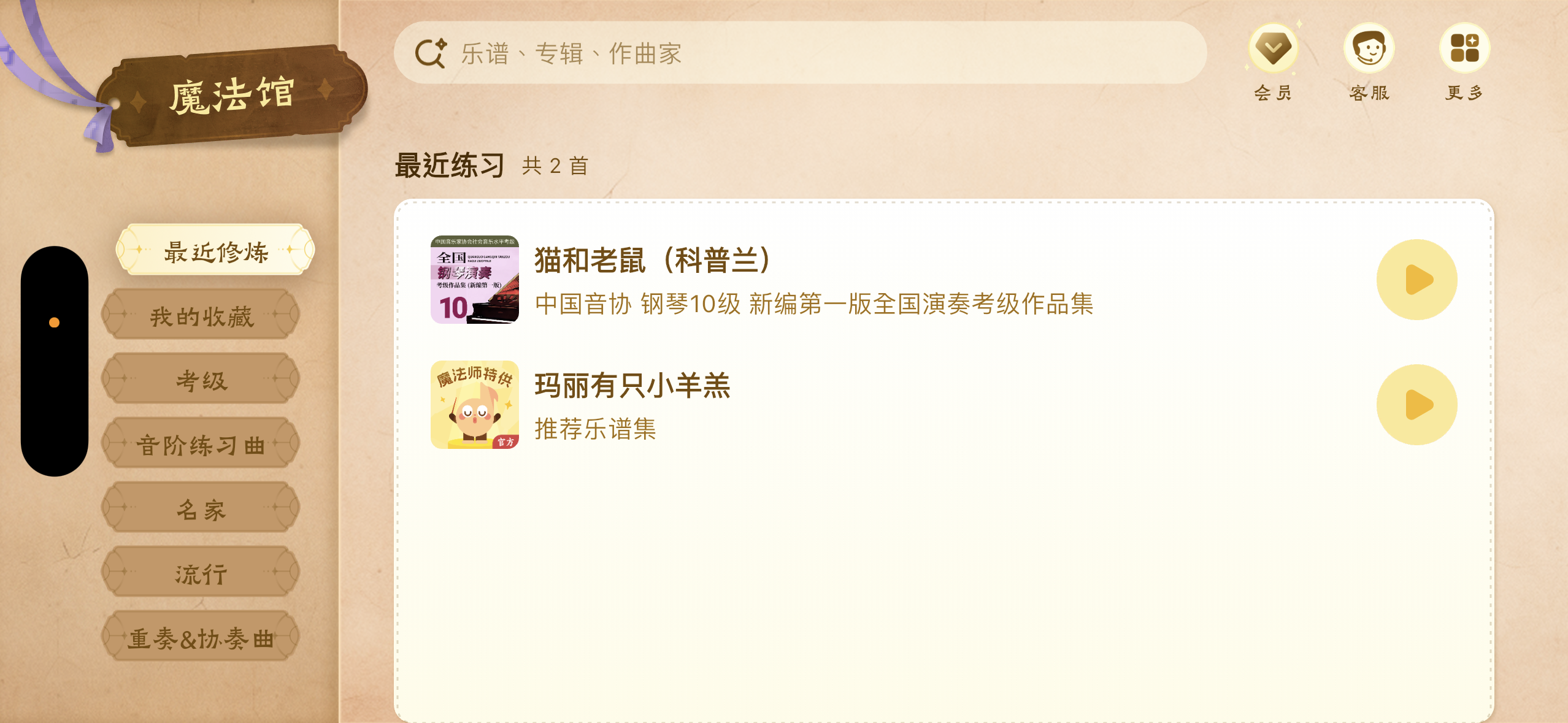
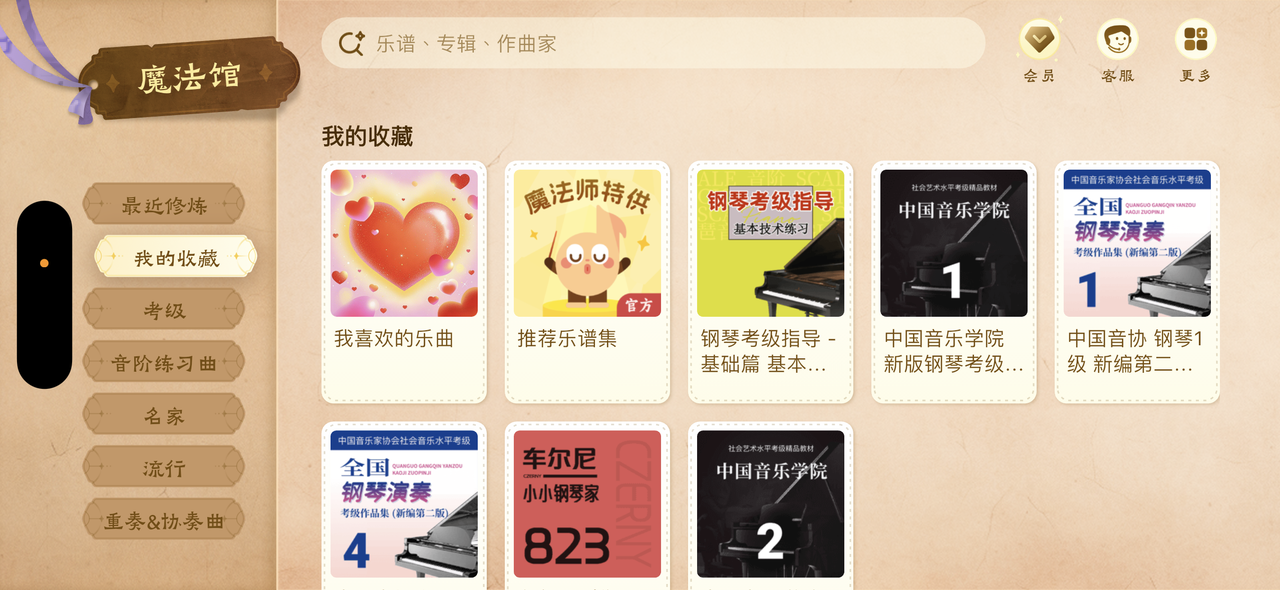
In addition to the rich sheet music library, the Magic Hall also keeps track of your “Recent Practice” and “My Favorites”!
- “Recent Practice”: Shows the last 10 songs you’ve practiced.
- “My Favorites”: Shows your saved collections and songs.
3.3 Request a Song
Beyond the vast library of sheet music already available, if you can’t find the piece you’re looking for — don’t worry! As long as you can provide a PDF file (or photo) of the sheet music, we can create it for you!
There are 3 ways to submit a sheet music request:
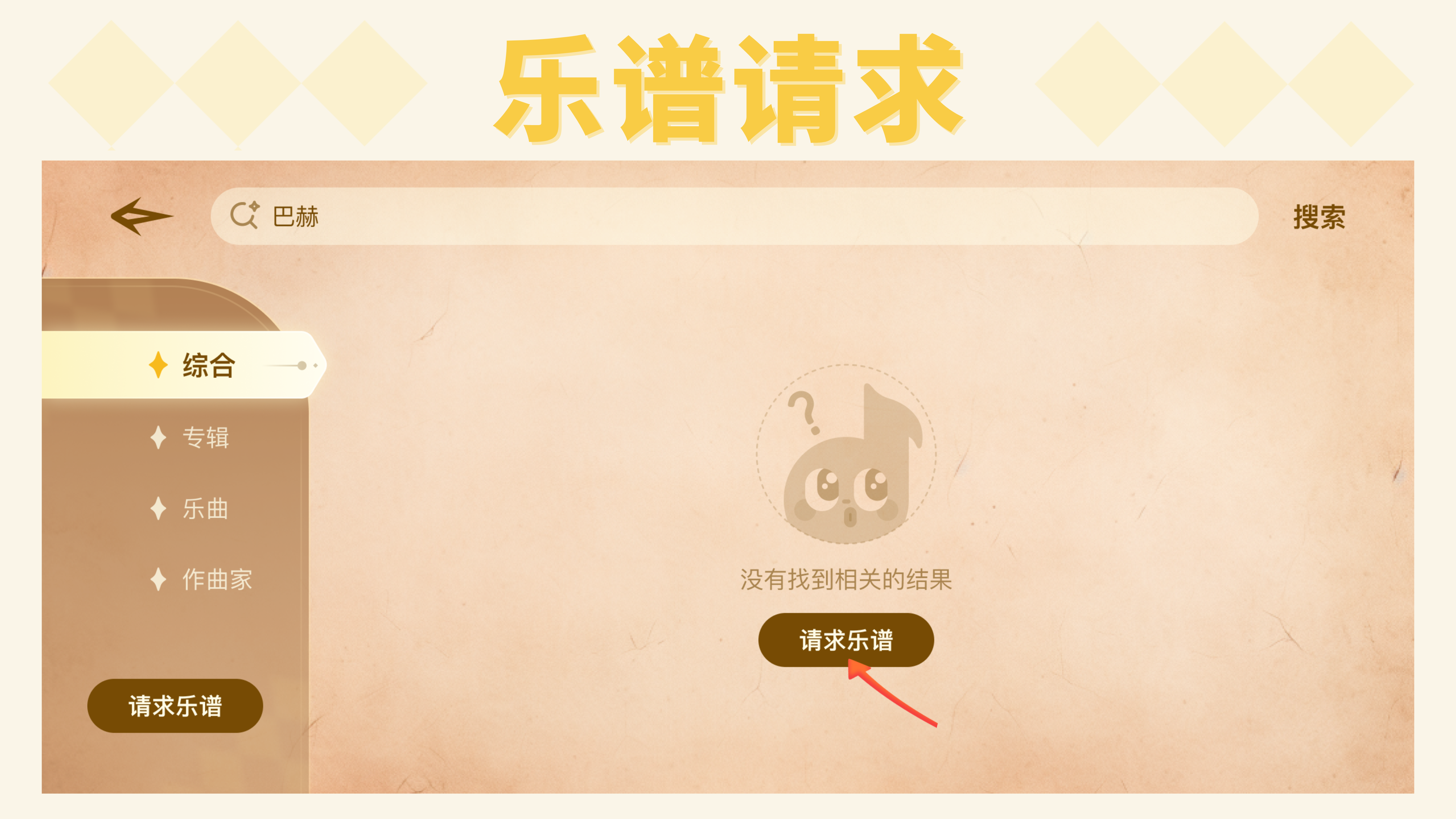
- Tap “Request Sheet Music” at the bottom of the page, fill out the form, and submit — we’ll receive your request!
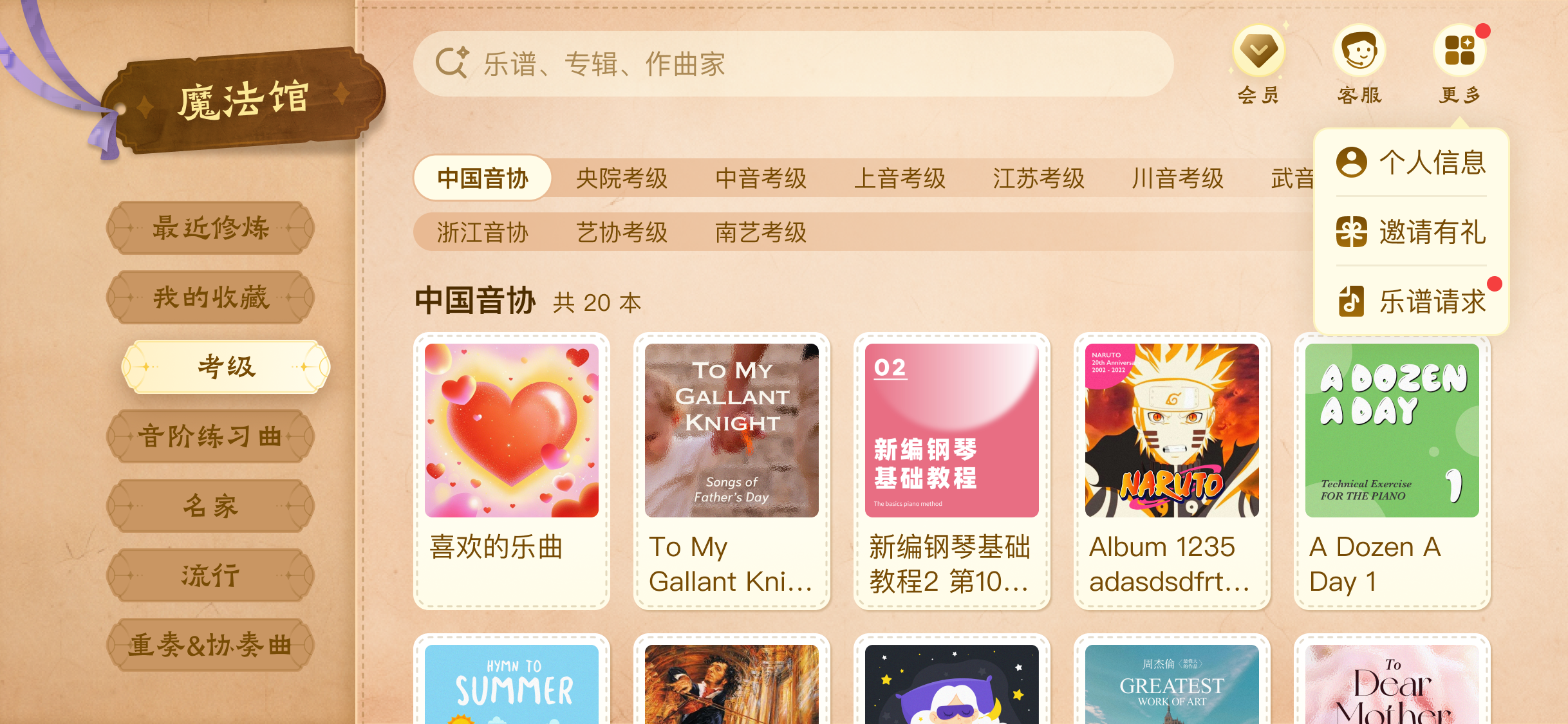
- Tap the “More” button in the upper right corner of the Magic Hall, select “Sheet Music Request,” then tap “New Request” in the upper right to tell us what you need!
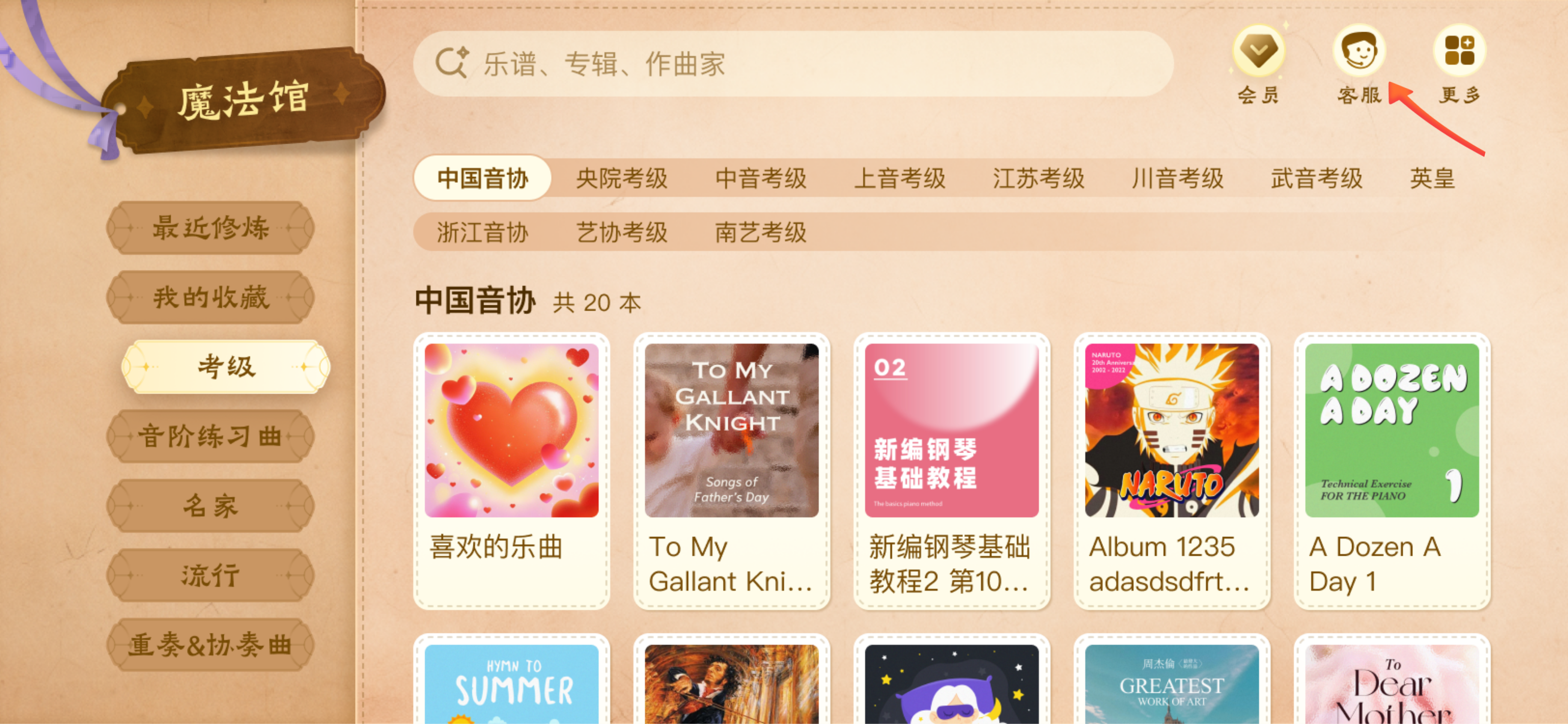
- If you’d rather not fill out a form, you can tap the “Support” button in the upper right corner of the Magic Hall, or contact our support team directly to discuss your needs.
Fun & Interactive
To make practicing more enjoyable and rewarding, we’ve designed a rich gamified reward system.
As you practice, you can collect Magic Stars, upgrade Magic Stones, and unlock Magic Stories — all while your companion Xixi keeps you company, filling every practice session with surprises and motivation.

4.1 Magic Stories
We’ve created engaging Magic Stories to inspire you to keep practicing, adding fun and a sense of purpose!
Hidden within the “Magic Challenge” level map, you’ll find magical adventure stories.

Each story is divided into 3 parts, tucked between the major levels. The beginning, middle, and ending unlock in sequence as you progress.
4.2 Magic Stars and Magic Stones
We hope that collecting and upgrading beautiful Magic Stars and Magic Stones will motivate you to master every musical phrase!
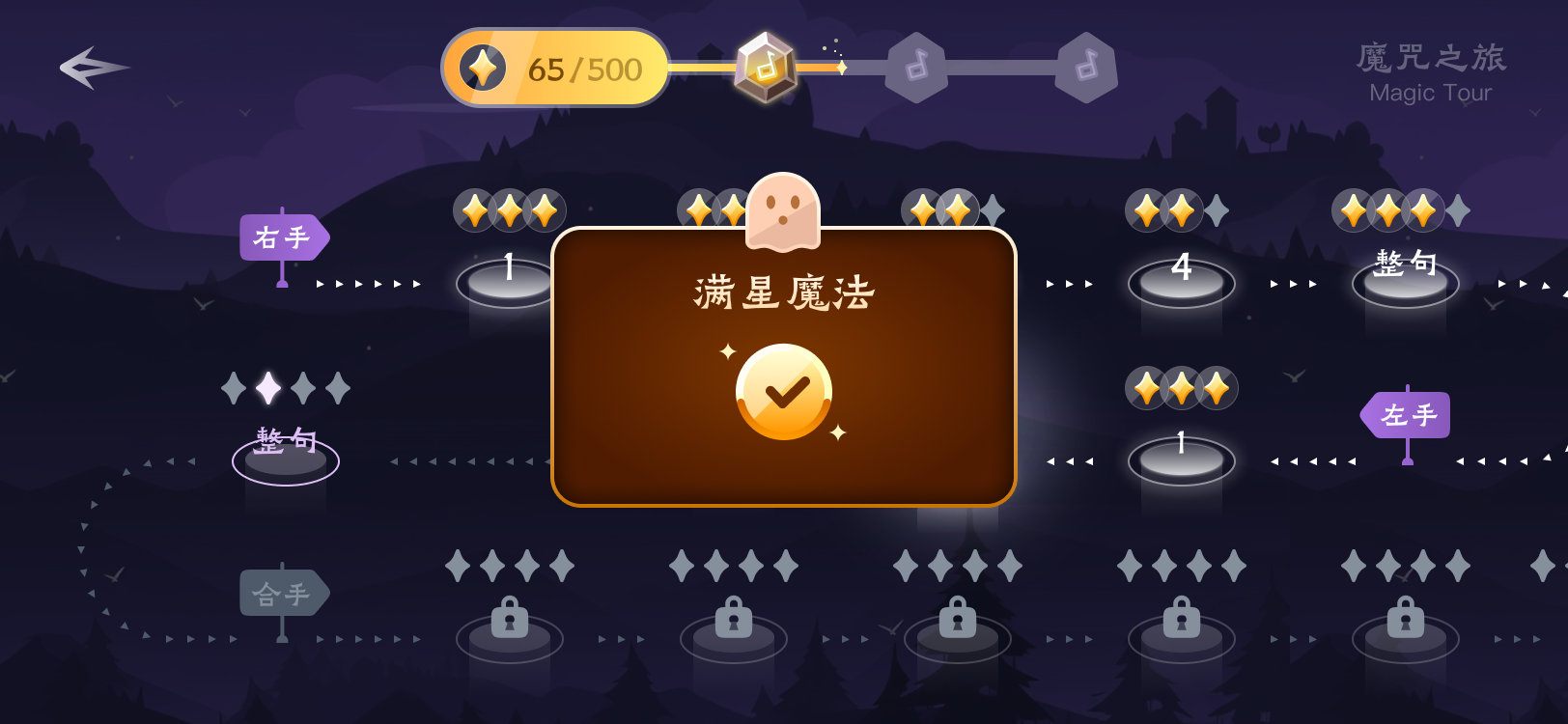
In “Magic Challenge” mode, completing each sub-level earns you Magic Star rewards.
In “Magic Trial” mode, finishing each trial level earns you Advanced Magic Star rewards. (These Advanced Magic Stars will play a big role later!)
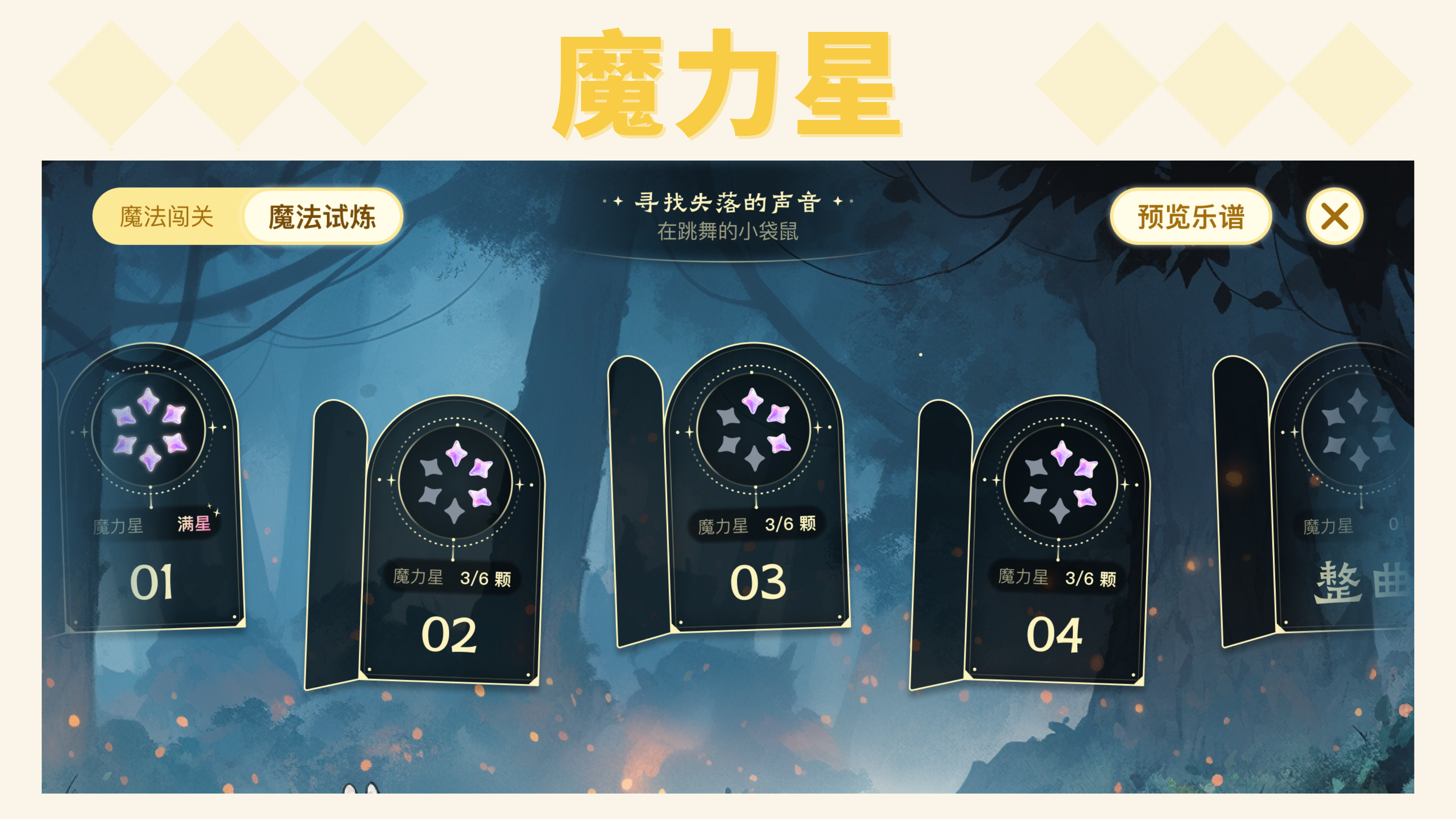
At the top of the sub-level map, you can see the total Magic Stars collected across all sub-levels within that major level.
Once you reach a certain threshold, you’ll earn a Magic Stone.
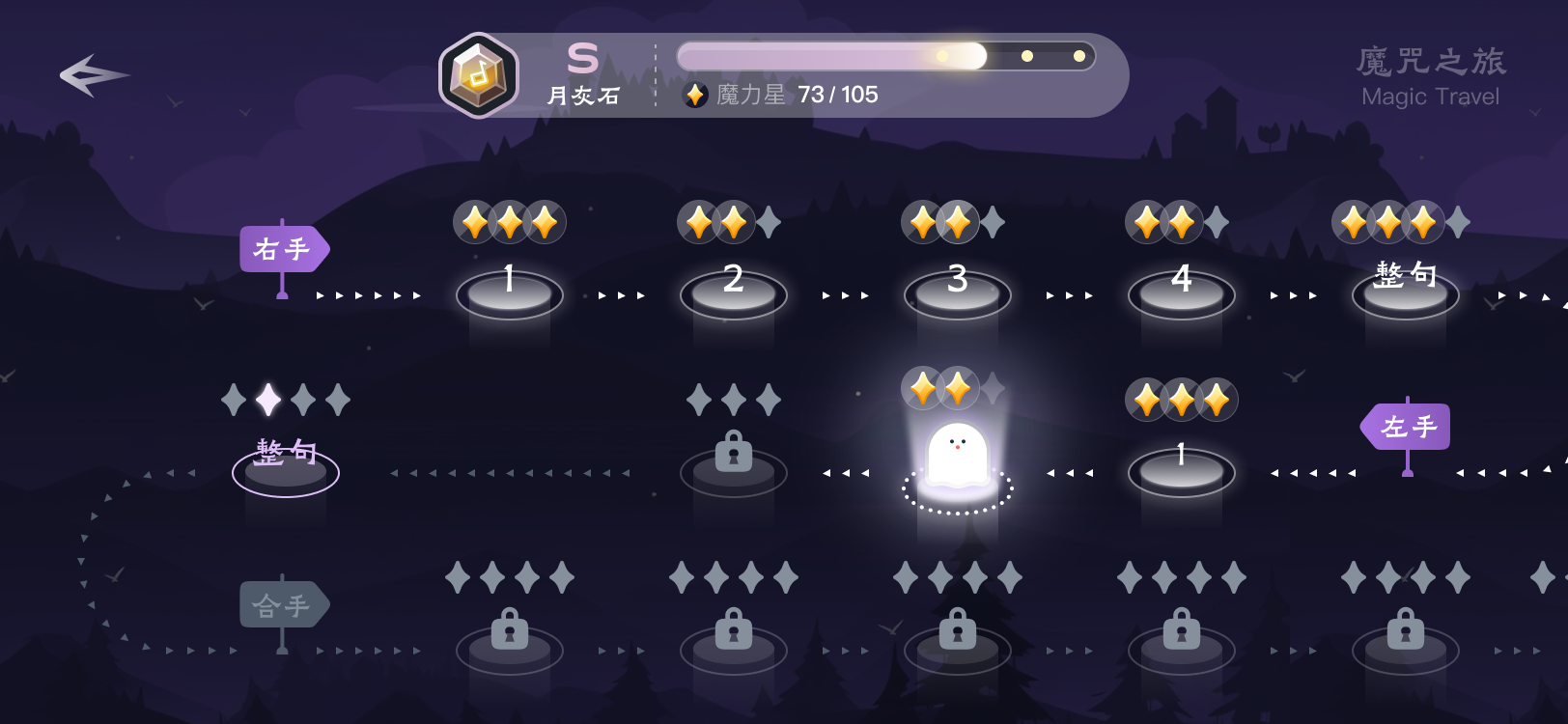
When all sub-levels within a major level are completed and you’ve earned at least an S-rank Magic Stone, the major level is considered complete and the next one unlocks.
Magic Stones come in 3 tiers: S-rank Moonstone, SS-rank Cinnabar Stone, and SSS-rank Radiance Stone.
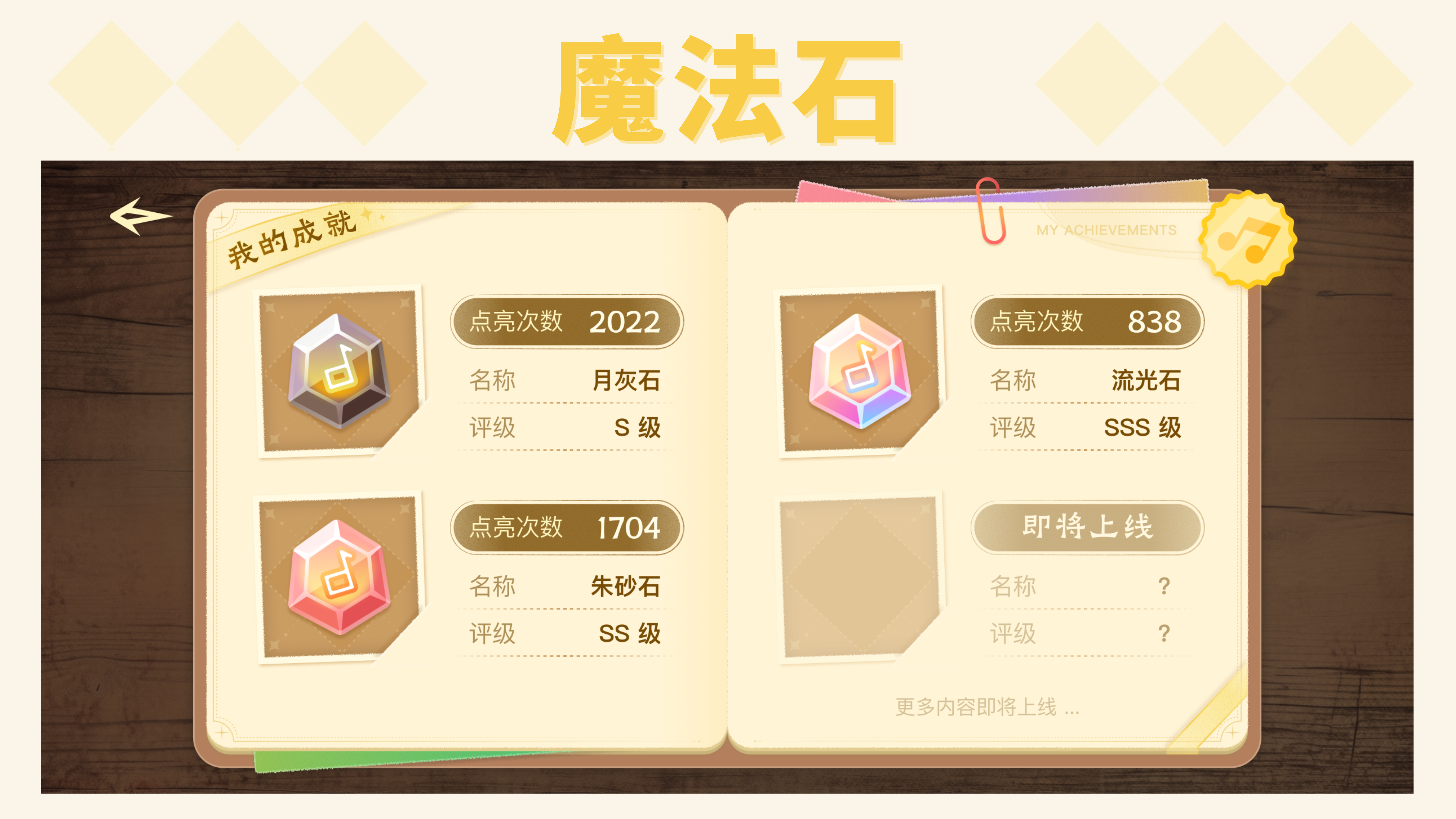
As your Magic Star count grows, your Magic Stones upgrade too.
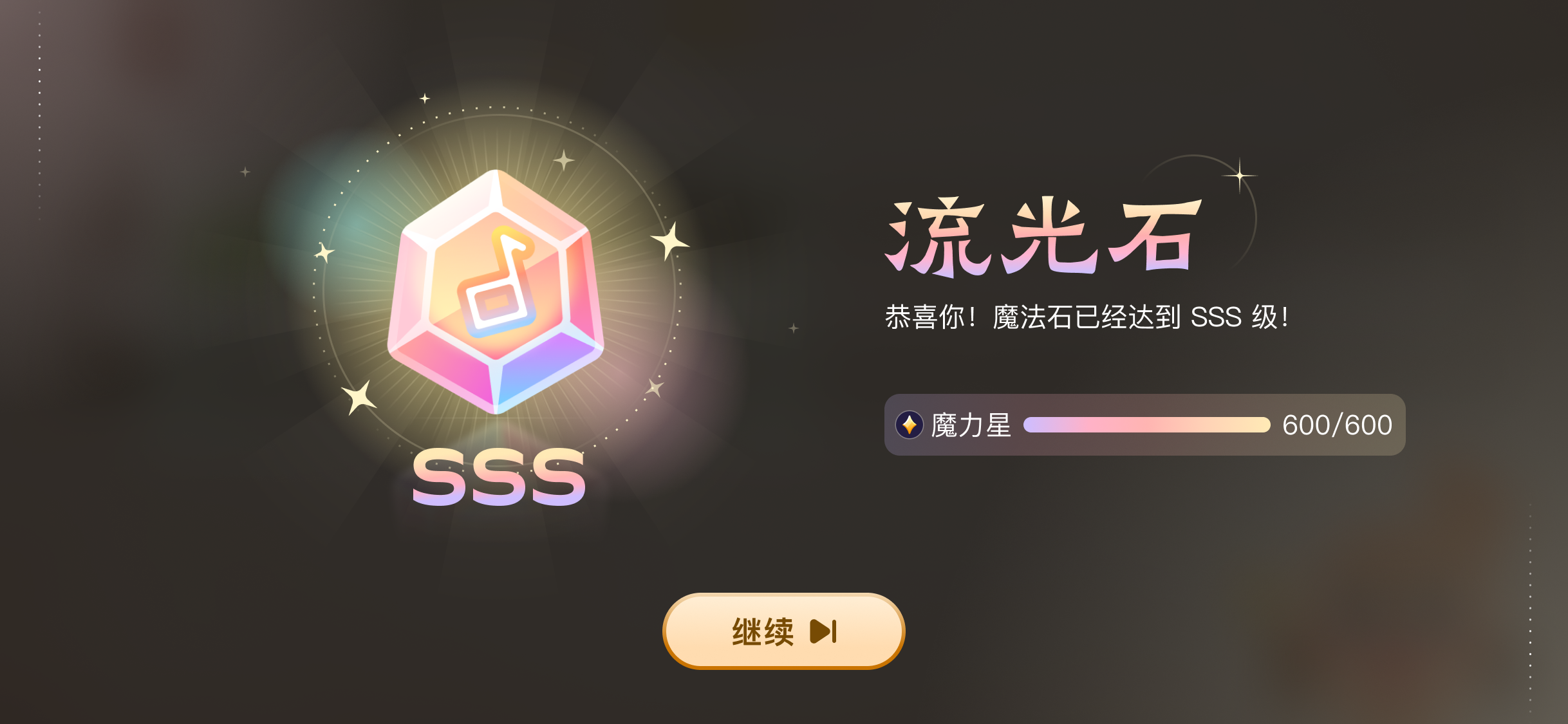
There’s also the ultimate Perfect Star challenge waiting for you to unlock!
4.3 Magic Challenge
“Magic Challenge” focuses on conquering new sheet music note by note. Every note gets real-time feedback — you need to play each one correctly before moving on, making it ideal for beginners building a solid foundation.

- Progressive Level-Based Learning: The piece is broken into phrases (major levels), which are further divided into manageable segments (sub-levels).
- Three-Stage Practice Breakdown: Follows a right hand, left hand, hands together sequence, creating a progressive learning path.
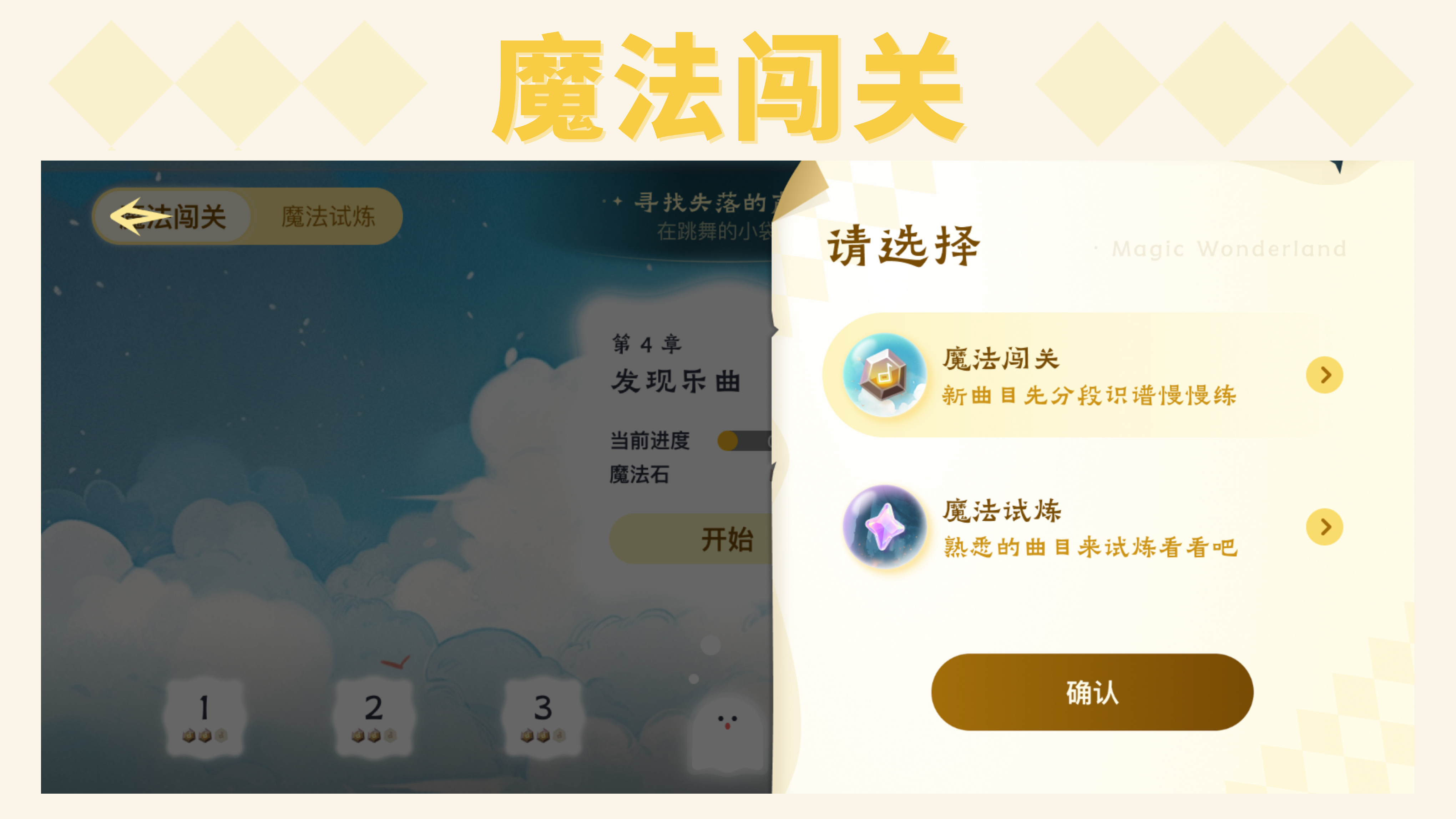
4.3.1 Standard Practice Path
Enter the major level map, swipe at the bottom to select an unlocked major level (phrase), and tap “Start” to begin.
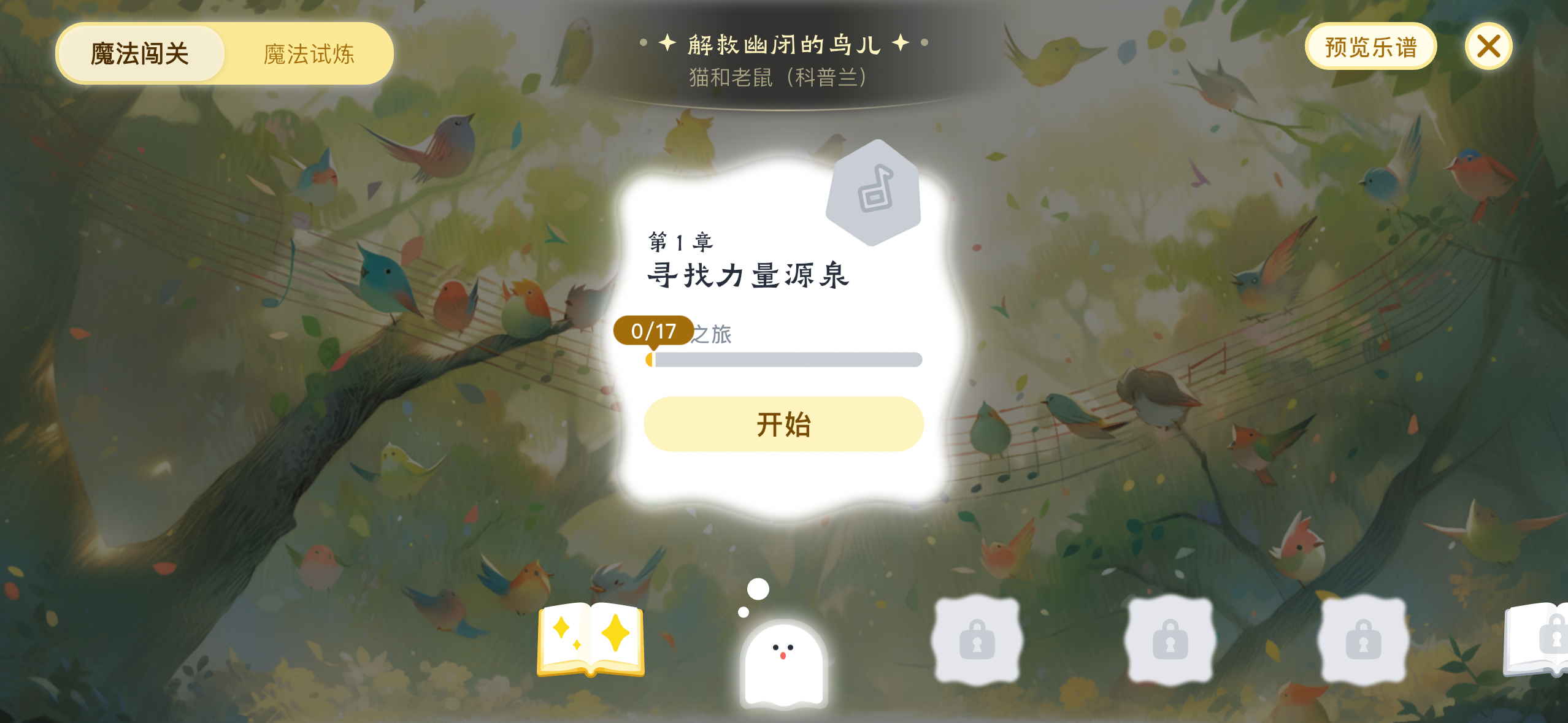
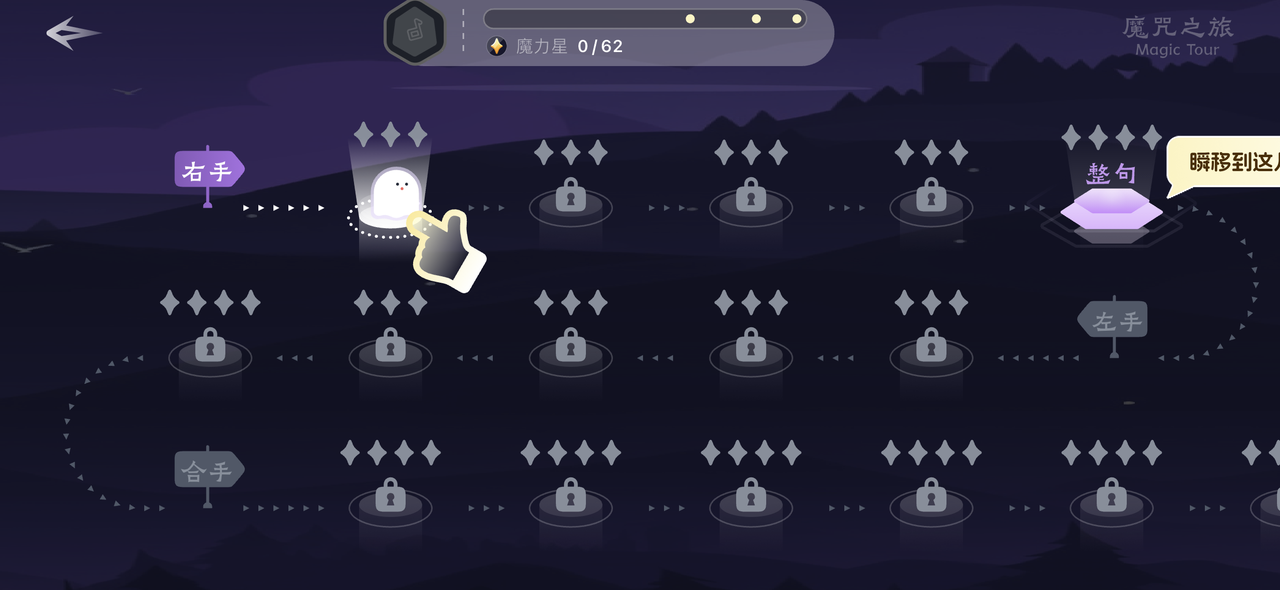
Inside the sub-level map (segments), you can freely choose any unlocked sub-level to practice.
On the standard path, both major and sub-levels must be unlocked in sequence before you can proceed.
Once inside a sub-level, play the highlighted notes on the piano.
Each sub-level requires 3 play-throughs to complete. You can track your progress using the progress bar at the top.
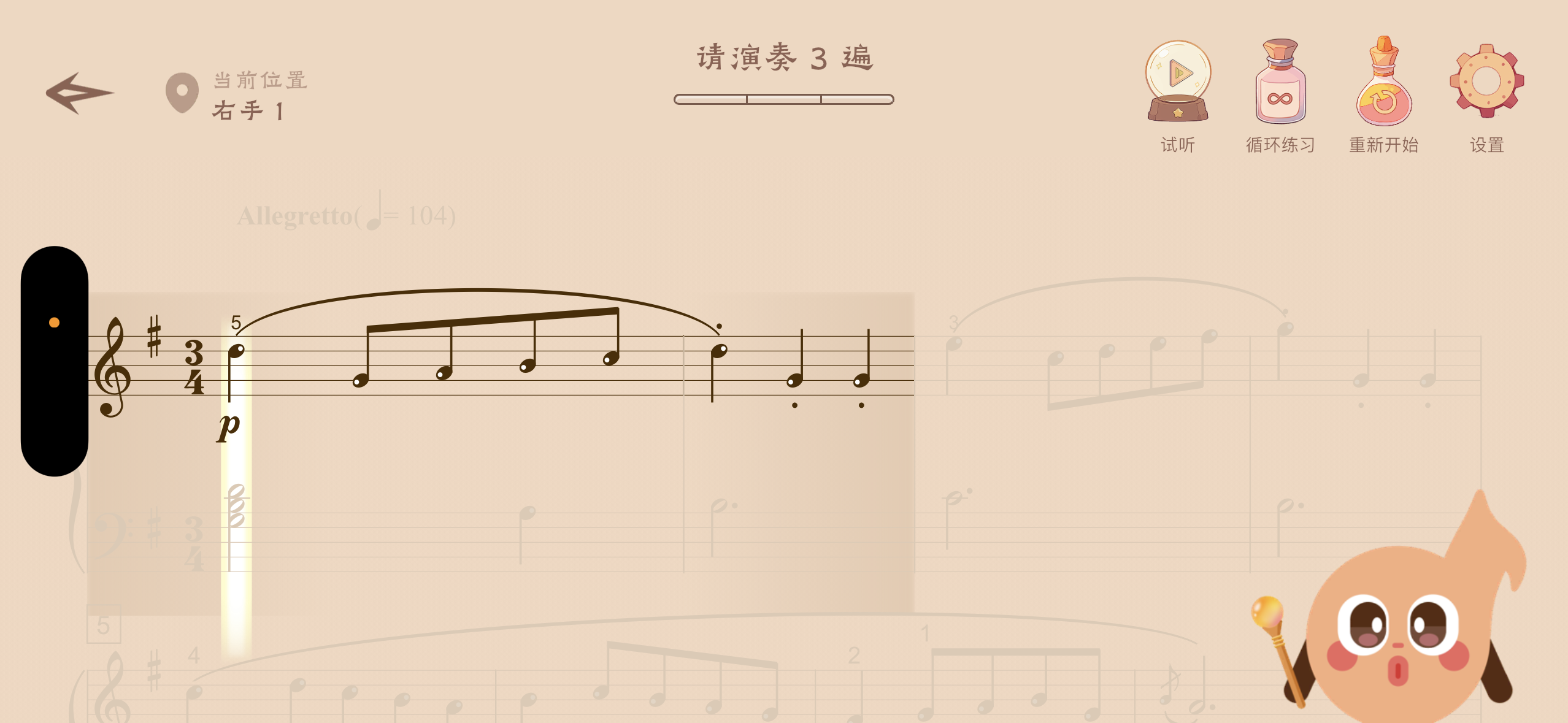
After completing one play-through, Xixi will mark the score with different colors based on your performance and award you Magic Stars as a reward!
If you achieve a perfect score, you can pass the level immediately and move on to the next sub-level without needing all 3 play-throughs.
4.3.2 Skip-Ahead Path
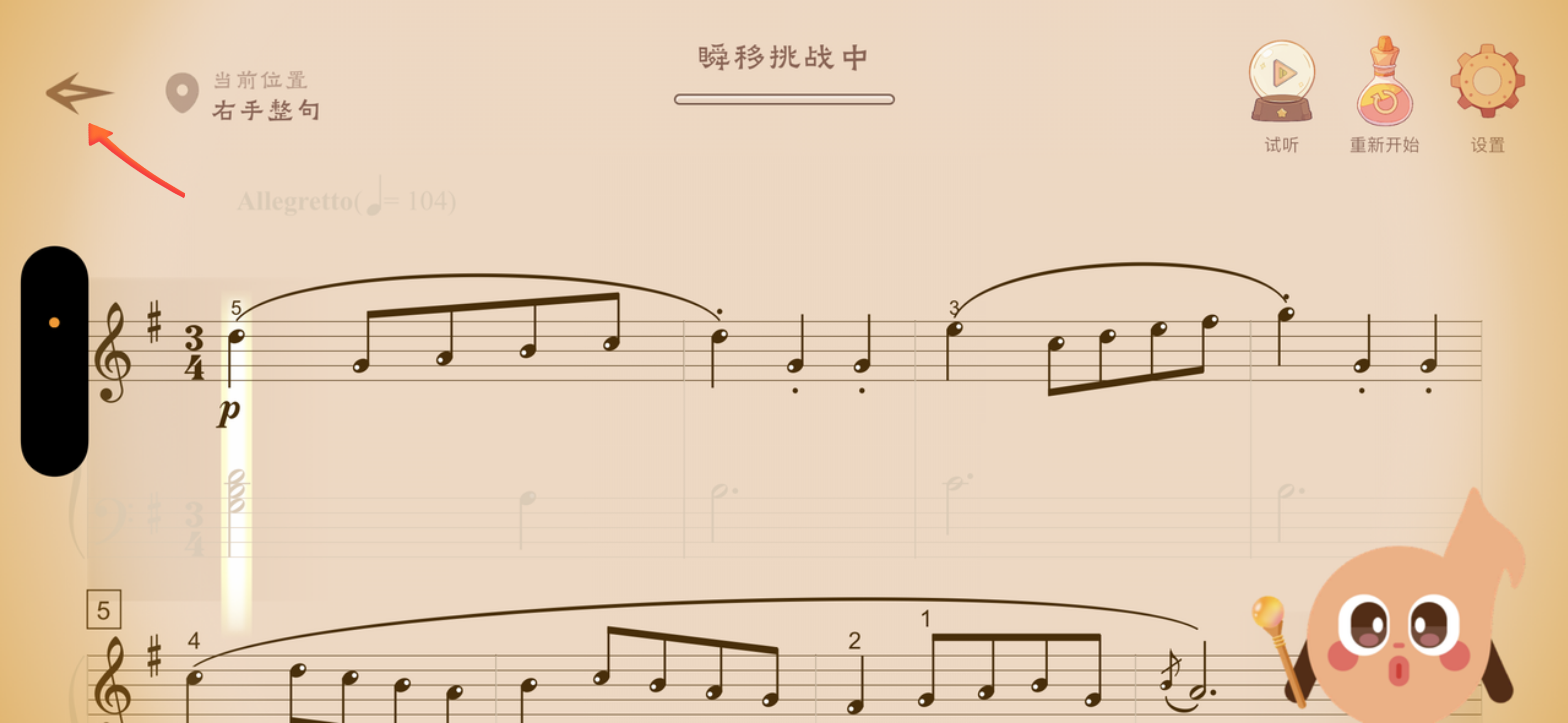
If you don’t want to go through the standard path practicing one small segment at a time, you can scroll to the far right of the sub-level map and tap the purple “Full Phrase” level.
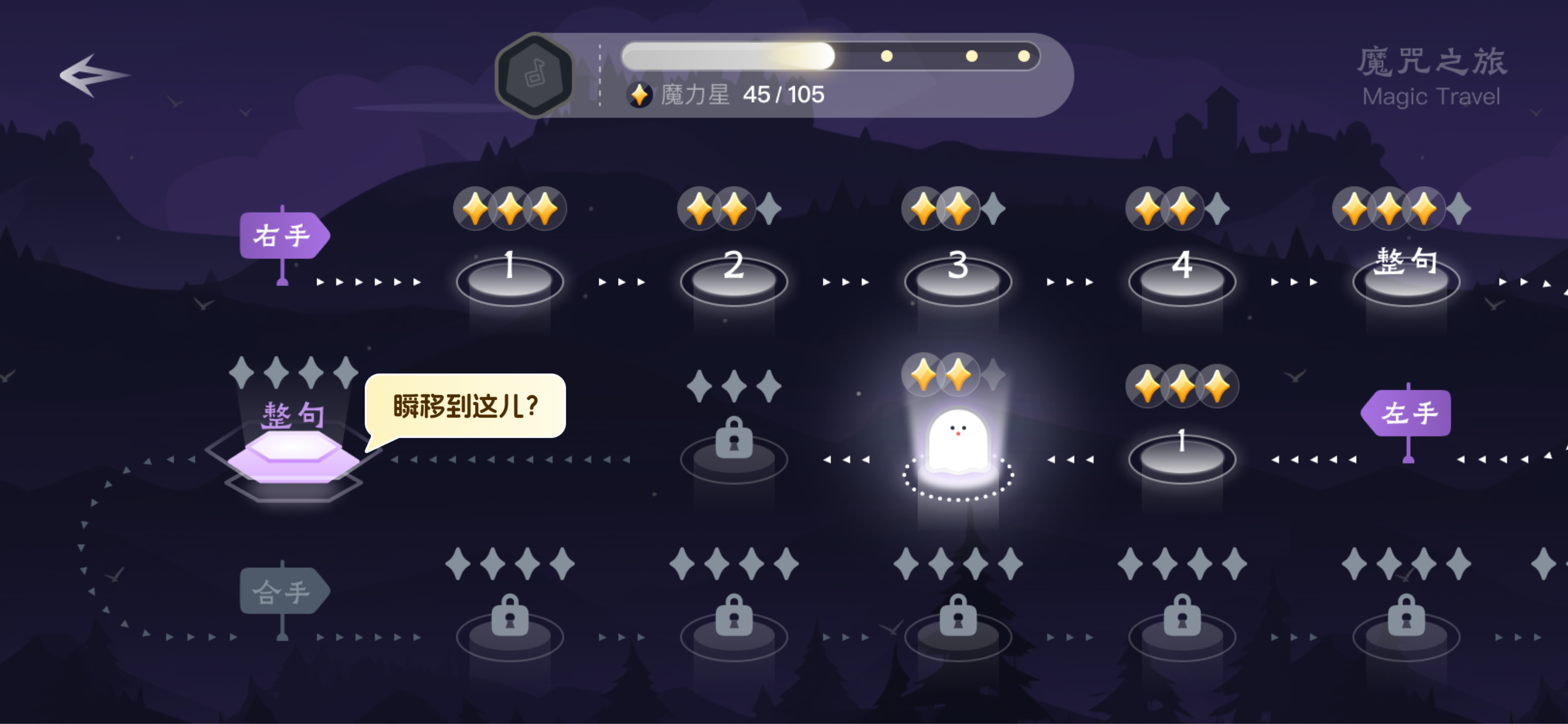
Tapping it triggers a “Warp Challenge”! If you succeed (your performance meets the requirements), it triggers “Perfect Star Magic”: all locked sub-levels instantly unlock and their Magic Stars are filled to the max!
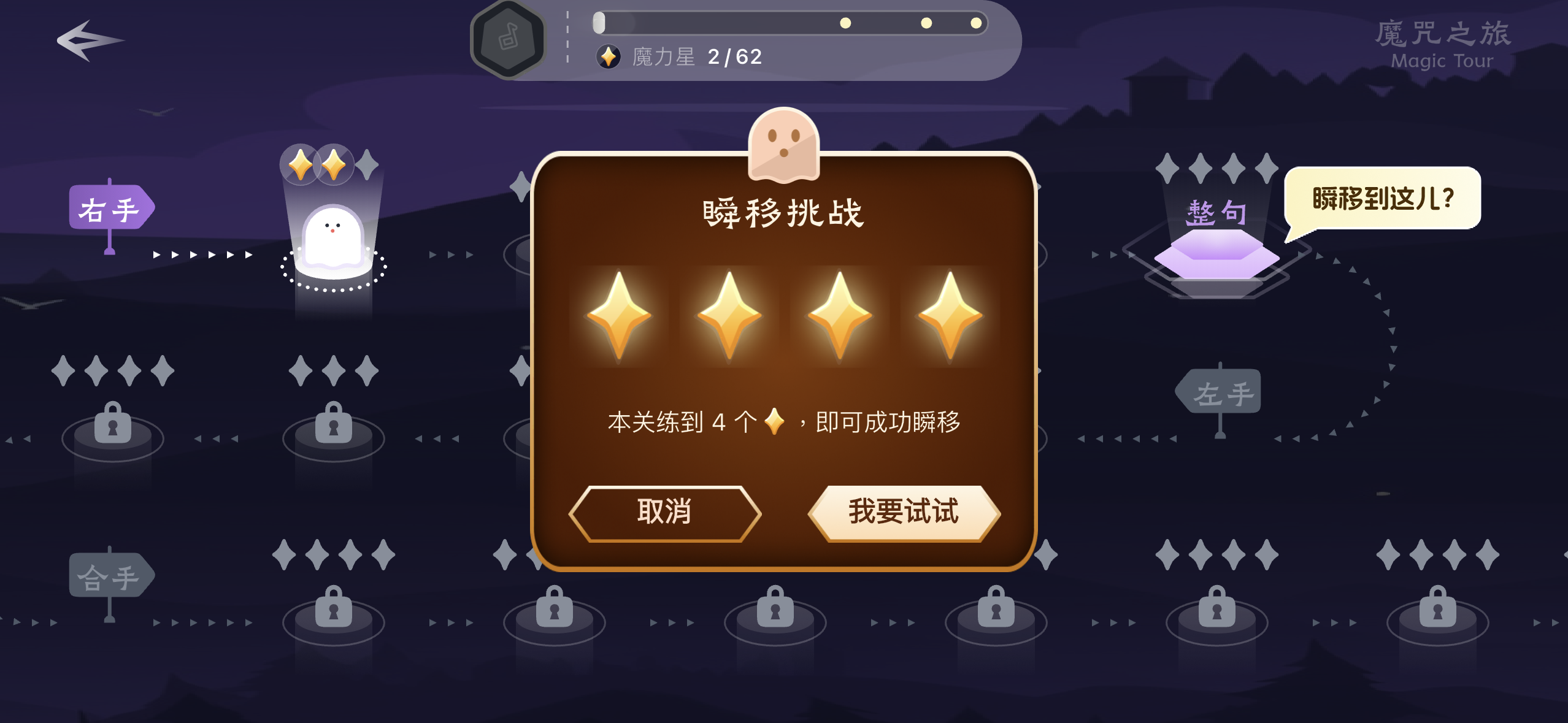
During the challenge, if you feel your playing isn’t polished enough, you can exit the challenge at any time and return to the sub-level map to continue practicing along the standard path.
4.4 Magic Trial
“Magic Trial” emphasizes full-section practice and free practice.
It’s best used after completing “Magic Challenge” to further improve your performance skills.
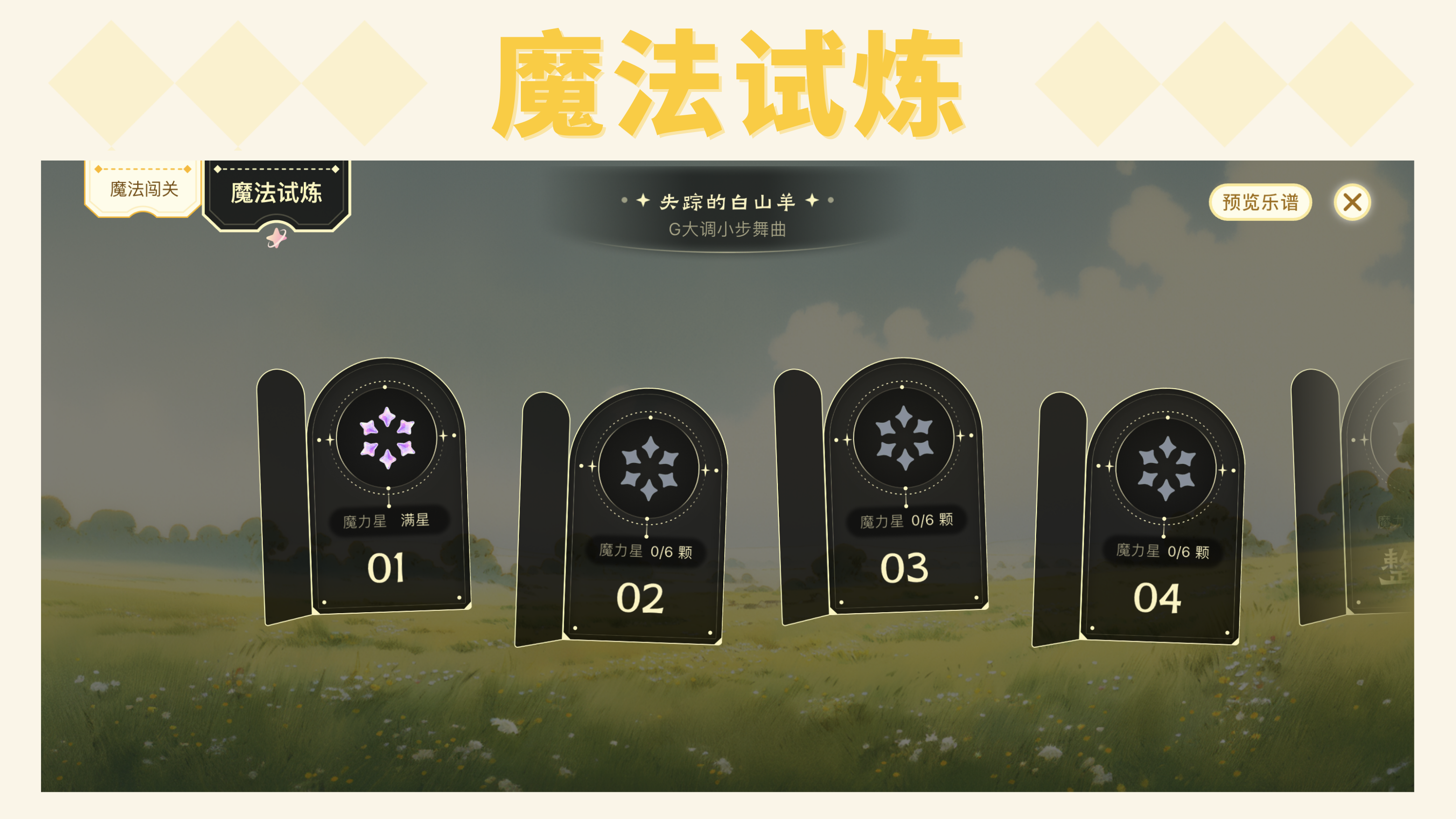
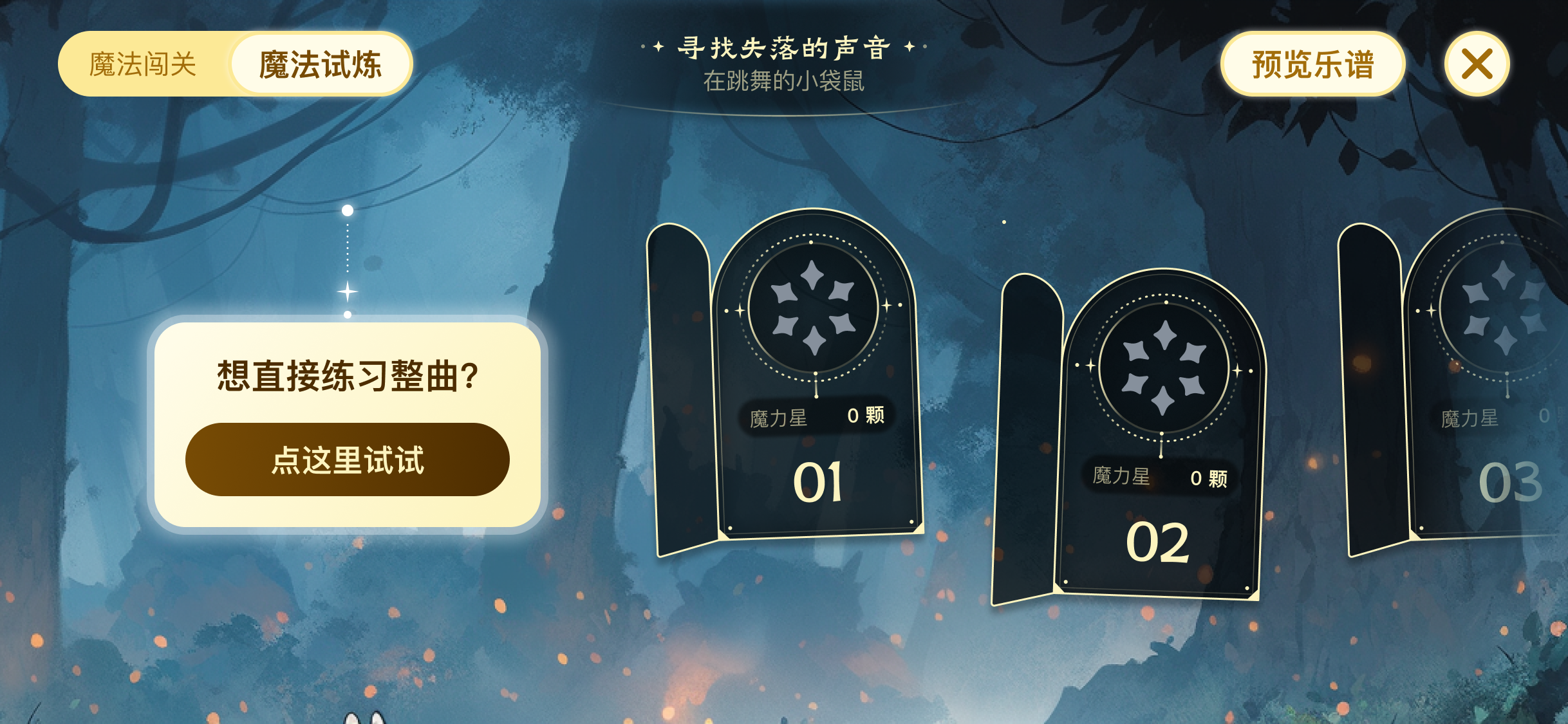
In “Magic Trial,” all trial levels are unlocked from the start, and you can freely choose which phrase or complete piece you want to practice.
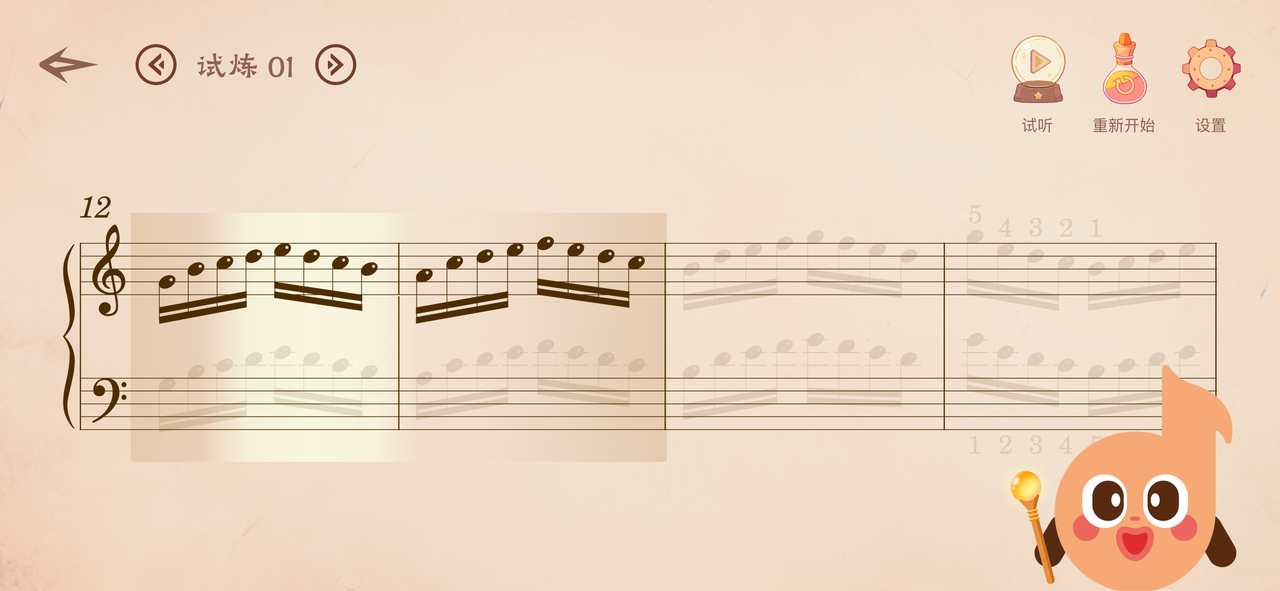
Inside a trial level, play the highlighted notes on the piano.
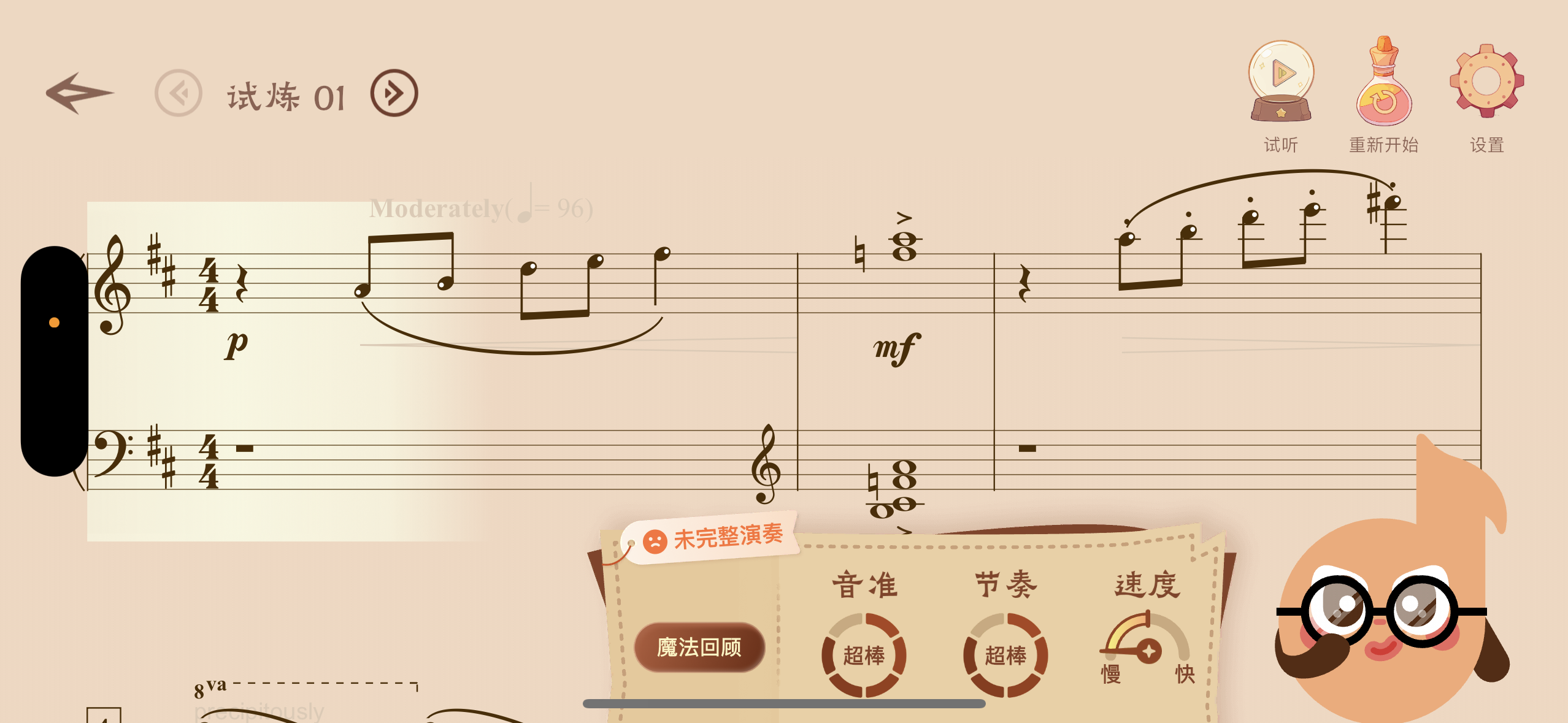
During play, nothing will interrupt you — a gradient highlight block simply follows your performance, moving along wherever you play.
After you finish, Xixi evaluates your performance across four dimensions: pitch accuracy, rhythm, tempo, and completeness, and also awards Magic Star rewards!
If you’d like to see more detailed results, tap the “Magic Review” button to enter the detailed results page.
On this page, you can see note-by-note performance feedback and play back the recording of your performance, helping you pinpoint areas for improvement.
More exciting features are on the way.
We look forward to you and Xixi writing many more magical stories together.
