
Translation note: This China-market article describes practice for families with children learning piano. Its feature descriptions, interface directions, download instructions, and WeChat support invitation are retained in their original regional and publication-date context; they do not establish current availability or trial entitlements in other markets. The Chinese app name used in the download instructions is 西西魔法钢琴.
Once a child starts learning piano, one of the biggest headaches for many families is the daily practice between lessons.
Faced with an entire piece, a child may not know where to start. They may keep making mistakes in the same place without noticing. Parents want to help, but cannot tell exactly which note was wrong. Too many reminders can turn practice into an argument; leaving the child entirely alone raises another concern: are they simply repeating the piece from beginning to end?
Wonder Piano is designed to help during this after-lesson time when “no one knows how to practice.”
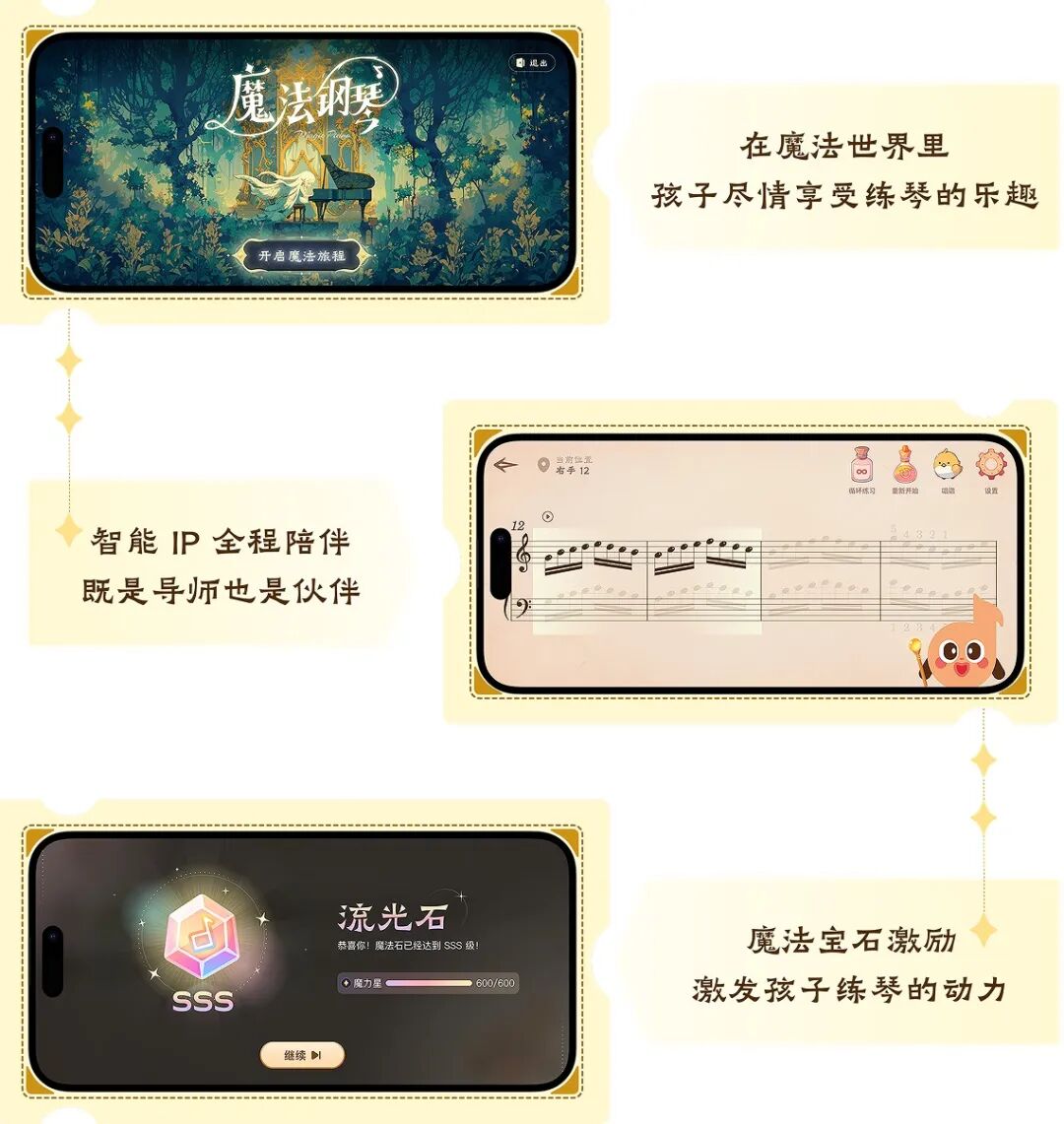
01 What Is Wonder Piano?
Wonder Piano is a piano practice app for families with children learning piano.
To use it, place a phone or tablet securely beside the piano and allow the app to access the microphone. The child plays an acoustic or digital piano, and the app listens to the piano sound. Together with sheet music, tasks for individual sections, and practice feedback, it helps the child work through daily practice after lessons.
When a parent says, “Learn to play this piece well,” the child may be facing a whole page of notes, two hands to coordinate, and several passages they keep getting wrong. The app breaks that large task down: find the piece, then practice a short section; work on each hand separately, then play with both hands; after playing, see which parts need another attempt.
Wonder Piano is not a piano teacher, and it cannot do the practicing for a child.
A teacher still needs to judge whether hand position is correct, whether the sound is pleasing, how to shape a phrase, and what to learn next. The app is better suited to what happens after the teacher assigns homework: helping a child at home get started, notice basic problems, and decide how to approach the next attempt.
02 How Do You Use the Main Features?
Magic Hall: Find the Sheet Music for Today’s Practice
Magic Hall is the app’s entry point for sheet music and practice. Browse by category or search for sheet music, collections, or composers. “Recent Practice” and “My Favorites” make it easier to pick up where you left off next time. If you cannot find a piece, you can submit a sheet music request.
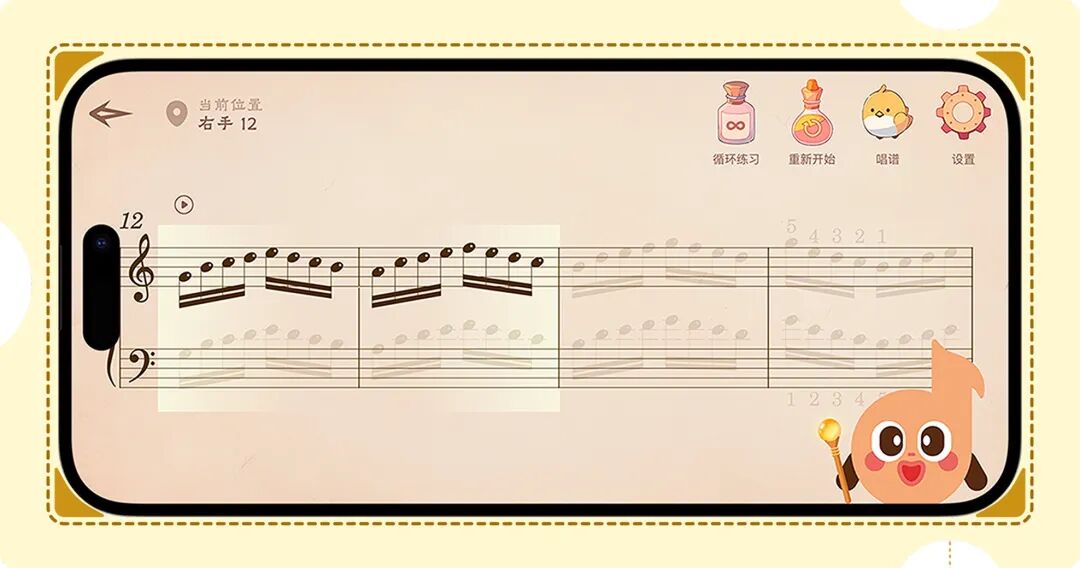
Adventure: Break a New Piece Into Small Tasks and Learn the Section in Front of You First
Adventure is useful when a child is just beginning to learn a piece. It divides the music into small levels, with right-hand, left-hand, and hands-together practice arranged around the score. When basic mistakes arise, the child can work through that short section again.
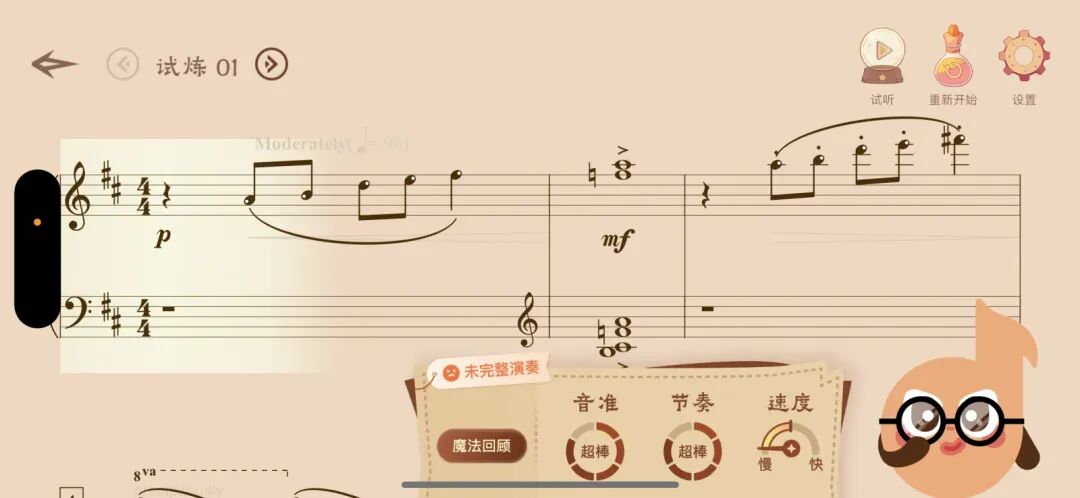
Challenge: Once the Music Is Familiar, Play Through It and Then Review
When a child is familiar with part of the score and wants to practice a complete phrase or the whole piece, they can enter Challenge. It does not stop immediately because of one wrong note. The child finishes the attempt first, then reviews pitch accuracy, rhythm, tempo, and completeness.
AI Listening and Magic Review: Know What to Change on the Next Attempt
The app listens to real piano sound through the phone or tablet’s microphone; there is no need to play virtual keys on the screen. After practice, children can view basic feedback on wrong notes, missed notes, rhythm, and related issues. In Challenge’s detailed Magic Review, they can also examine results alongside the score and, when available, listen back to the recording.
Nearby television audio, conversation, or other music can interfere with listening. On the first use, place the device securely, grant microphone permission, and keep the surroundings as quiet as you can.
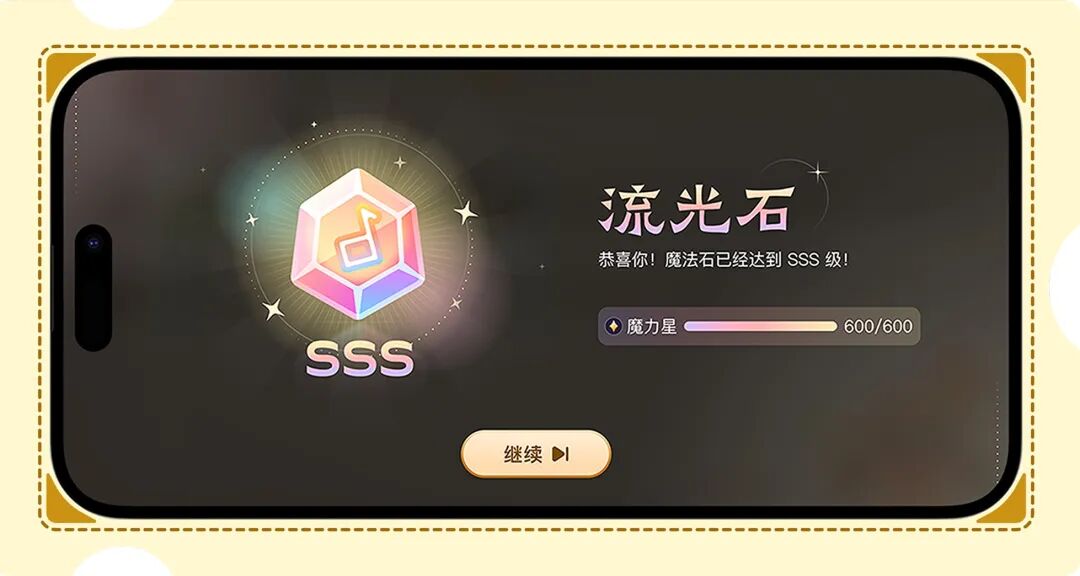
Magic Stars and Magic Stones: Give Each Small Step a Sense of Completion
Children earn Magic Stars after completing practice. In Adventure, continuing to complete small levels also lets them light up and upgrade Magic Stones. The rewards correspond to playing tasks they have actually completed, showing them a next step they can take.
Practice Records and Everyday Services: Know Where to Continue When You Open the App Again
Children can resume from Recent Practice or look back at their practice records to see how far they got that day and which passages still need another look.
Account details, membership information, feedback, settings, and customer support are also available within the app.
03 How Do You Download Wonder Piano?
The original article gives the following instructions for users in China.
For an iPhone or iPad, search for “西西魔法钢琴” in the App Store, or use the link described below:
Go to the App Store to download Wonder Piano
For an Android phone or tablet, search for “西西魔法钢琴” in major Android app stores, or use the Tencent MyApp link described below:
Go to Tencent MyApp to download Wonder Piano
Translation note: The supplied source contains these two download labels as plain text, without destination URLs. No download links have been added here.
After installation, register or sign in, place the device near the piano’s music stand, and allow the app to use the microphone. You can then begin the first practice session.
If you open the download page within WeChat and cannot jump directly to the app store, tap the menu in the upper-right corner and choose “Open in Browser.”
04 For the First Use, Try Just This One Thing
Here is one way to start:
- Find the piece the teacher has just assigned in Magic Hall.
- Enter Adventure and choose a short level.
- First complete practice with one hand or in one short section.
- Look at the feedback once and choose just one specific problem.
- Play again and see whether that problem has improved.
On the first evening, completing this small cycle is enough.
05 Downloads and Customer Support
Product description: Wonder Piano is an AI-assisted practice app that turns piano practice into a game of progressing through levels. Through small tasks, immediate feedback, and rewards, it aims to make children more willing to begin and reduce parents’ need for reminders and arguments.
Download the App
If you have not yet installed Wonder Piano, the original China-market instructions are:
- iPhone and iPad: Search for “西西魔法钢琴” in the App Store, or use the download link mentioned above.
- Android phones and tablets: Search for “西西魔法钢琴” in an app store, or use the Tencent MyApp link mentioned above.
Add Customer Support on WeChat
The original article invited readers with questions about using the app or their account, or those wishing to apply for a free trial, to add customer support on WeChat and ask for help.