
Adventure helps you learn a new piece accurately, one short passage at a time. Once those passages are familiar, switch to Challenge to play the piece all the way through, then review what needs work.
The interface directions and download and WeChat support information below refer to the Chinese app as described on October 2, 2026. The two practice modes are called Adventure (魔法闯关) and Challenge (魔法试炼) in the app’s English interface.
After a week of use, a familiar situation goes like this: your child has cleared every short passage of a piece in Adventure. That evening, they open the app, start at the first sub-level again, and work through all the levels quickly and smoothly. As a parent, you sense something is off: they are still playing two measures at a time. Nobody has heard what the piece sounds like from beginning to end. At the next lesson, the teacher asks, “Can you play this whole piece for me?” Your child stops at the third line.
Clearing every sub-level does not mean the piece is learned. The next step calls for a different way of practicing.
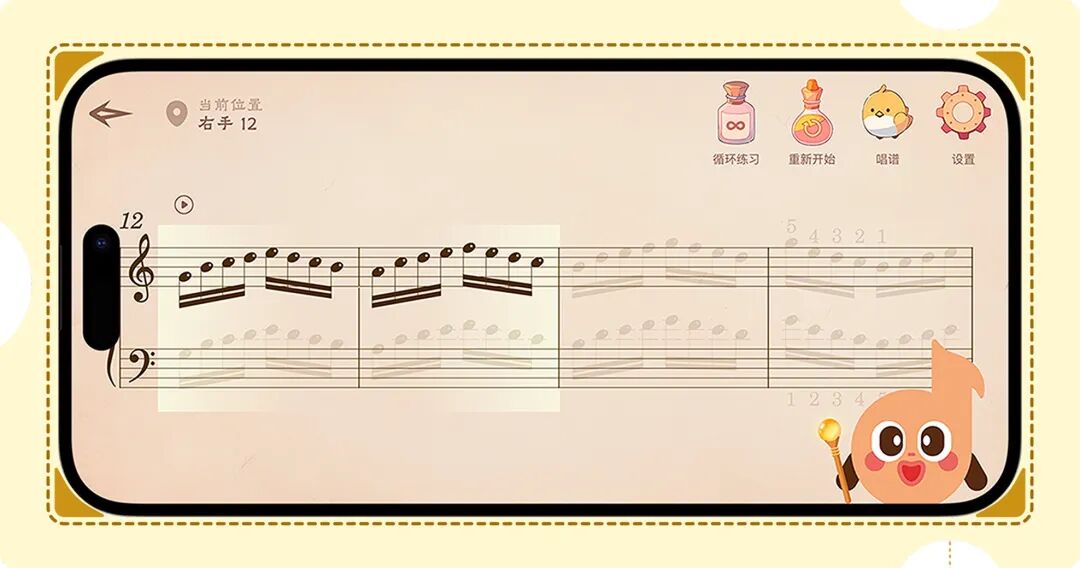
01 Adventure Builds Accuracy; Challenge Builds Complete Performances
Adventure and Challenge are two ways of practicing, rather than two difficulty levels.
Adventure divides a piece into short passages, with separate right-hand and left-hand practice, and stops advancing when you make a mistake. It is for learning new material accurately.
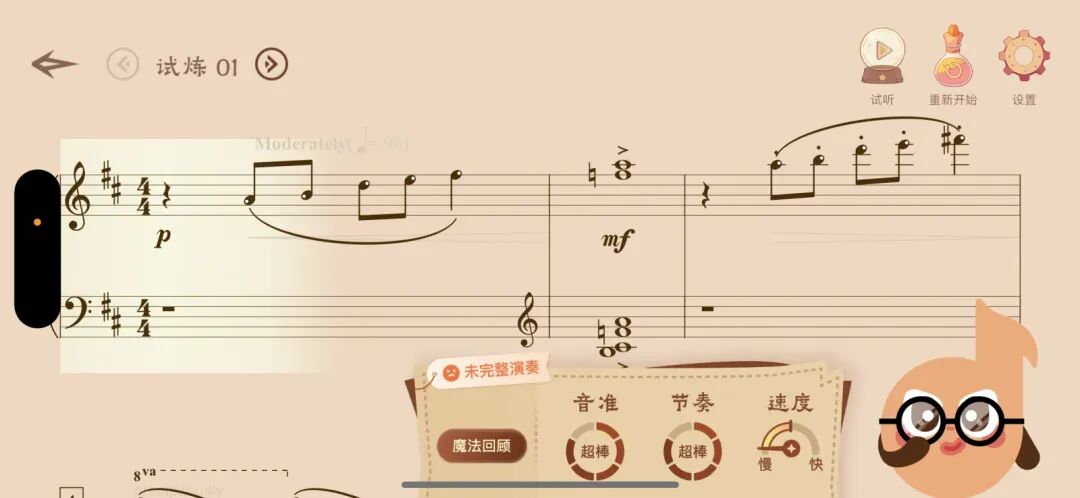
Challenge works the other way: your child plays from beginning to end. A mistake along the way does not interrupt the performance or stop the app; it follows their playing as they continue. Afterward, the screen shows pitch accuracy, rhythm, tempo, and completeness for that performance, and lets them replay the recording they just made. It is for practicing continuous playing and reviewing problems afterward.
In Challenge, phrase levels and whole-piece levels can be selected freely without unlocking them in order. To practice the second phrase, tap it directly; to play through the whole piece, select the whole-piece level.
Here is a simple distinction: if your child is still reading the notes and needs to work on a passage in smaller parts, use Adventure. If they have cleared its sub-levels and want to practice playing continuously, use Challenge.
02 How to Read the Results Page: Focus on the Lowest of the Four Scores
After one performance, four scores appear. Start by finding the lowest category, rather than dwelling on whether the overall scores are high or low.
Use the results page this way: find the lowest of the four scores, then open the detailed results. These mark individual notes, showing which notes were wrong, where notes were missed, and where the rhythm was off. Then replay the recording so your child can hear that phrase for themselves.
Work on just that spot. Play it slowly once, then return to Challenge and play through the full practice section again to see whether that category improves. Spend the evening on this one cycle. Do not try to tackle everything at once: wrong notes today, rhythm tomorrow, and tempo the day after.
Parents who do not play piano can do this too. You do not have to identify the mistakes by ear; the screen has already marked them. Your job is to read out which category has the lowest score and replay that phrase with your child.
The four categories cover wrong notes, missed notes, rhythm, tempo, and whether the performance was complete. The app does not assess hand position, tone, or musical phrasing. If its markings differ from the teacher’s guidance, follow the teacher.
03 What Magic Stars, Magic Stones, and Magic Stories Record
These three elements record different aspects of progress.
Magic Stars record the result of an individual practice attempt: clearing a sub-level or finishing a performance in Challenge earns stars.
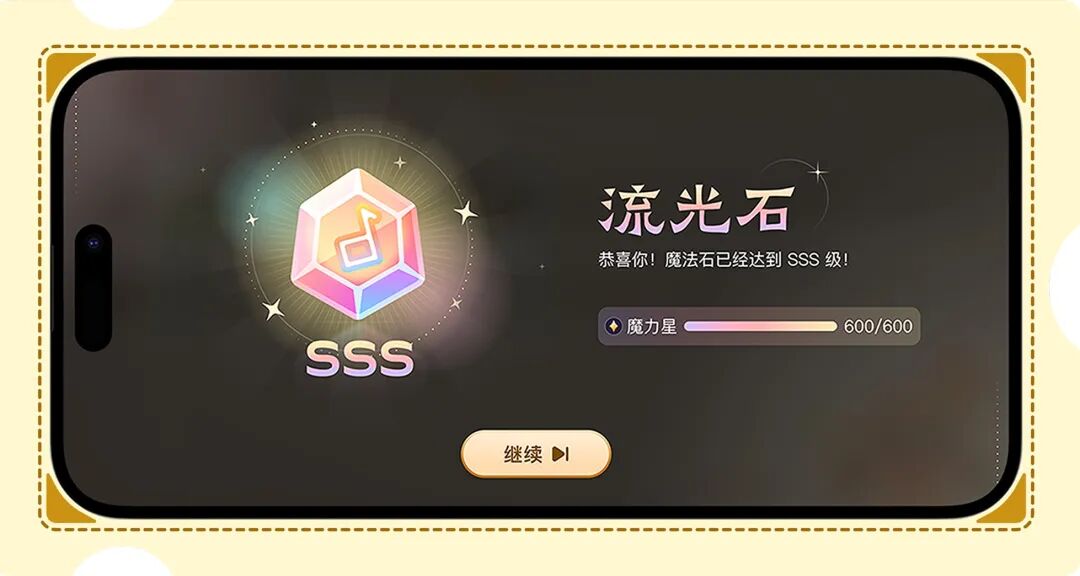
Magic Stones reflect progress across a major level: how well an entire phrase has been practiced, with three ranks, S, SS, and SSS. To understand progress on a piece, checking the Magic Stone for each major level is more informative than asking your child, “Have you finished practicing it?”
The October 2, 2026 China-market account says that Magic Stories unlock as practice progresses, with the next episode appearing as the child moves forward. It presents them as something for children to look forward to, rather than information for parents.
Correction: unlocking story chapters is a historical feature, not a current practice reward. A January 28, 2026 implementation change removed story chapters, the Magic Diary display, and chapter audio playback. The September 20, 2026 product verification confirmed that this change was included in the 2.4.0 and 2.4.1 code histories. Magical themes, level names, backgrounds, and music remain; they do not mean story chapters can still be unlocked.
04 How to Plan a Week: Adventure in the First Half, Challenge in the Second Half
Families with a regular teacher can plan around the next lesson.
On the evening after the lesson: search for the new piece the teacher assigned, save it to your favorites, and enter Adventure. Clear only the first one or two sub-levels of major level 1 to become familiar with the notes.
Over the next two or three days: work through one or two major levels in Adventure each day. Stop at mistakes, practice hands separately, then together, and learn the new passages accurately. For phrases your child already knows, use the whole-phrase challenge to clear them directly.
Two or three days before the next lesson: switch to Challenge. Start by practicing the least fluent phrase, then play the whole piece to check completeness. Work on only the lowest-scoring category each day.
The evening before the lesson: play the whole piece once in Challenge and take a screenshot of the results page. When the teacher asks, “How did practice go this week?”, handing over the phone is more useful than simply saying, “We practiced.”
Each day, open the app and go straight to the previous piece from “Recent Practice.” If the teacher has specific requirements for the piece, passages, hand position, or tempo, follow those. The app helps connect the steps of practice at home.
Task card for the final evening of this week: play this week’s piece all the way through in Challenge and take a screenshot of the four scores. Play it again on the first evening of next week. Put the two screenshots side by side to see at a glance whether performance has improved over the week.
05 If Recognition Is Inaccurate or the Results Seem Strange, Check These Four Things First
If you have been playing but the app does not respond, or it marks correctly played notes as wrong, check these things in order: has microphone access been granted? Is the phone too far from the piano, or covered by something? Is there television audio or conversation nearby? Are you playing particularly fast? The troubleshooting guidance identifies the first two as the most common causes.
If the problem persists after these checks, submit it through “Feedback” in the personal information area at the top right of the Magic Hall, specifying the piece and level. For families using the Chinese parent support group, sending the issue there is another option; a short video is helpful.
06 Downloads and Customer Support
Product description: Wonder Piano is an AI piano practice companion app that turns practice into a level-based game. Its small tasks, immediate feedback, and rewards are intended to help children get started more willingly and reduce parents’ need to prompt them and argue about practice.
Download the App
For the Chinese app, the download instructions given on October 2, 2026 were:
- iPhone and iPad: search for “西西魔法钢琴” in the App Store. An App Store download link was also mentioned, but no URL was supplied.
- Android phones and tablets: search for “西西魔法钢琴” in an app marketplace. A Tencent MyApp download link was also mentioned, but no URL was supplied.
Add Customer Support on WeChat
The China-market support invitation at that time was to add customer support on WeChat for questions about using the app, account issues, or applying for a free trial. This invitation does not establish a current Global trial entitlement.